Your content can be excellent. Your keyword targeting can be precise. Your backlinks can be strong. And your site can still underperform in search because of technical problems buried in your site’s infrastructure that no amount of great writing will fix.
Technical SEO is the foundation everything else is built on. When it is solid, content and links work as they should. When it is broken, you are competing with one hand behind your back. Technical SEO tools are what expose those problems clearly, quickly, and in enough detail to actually fix them.
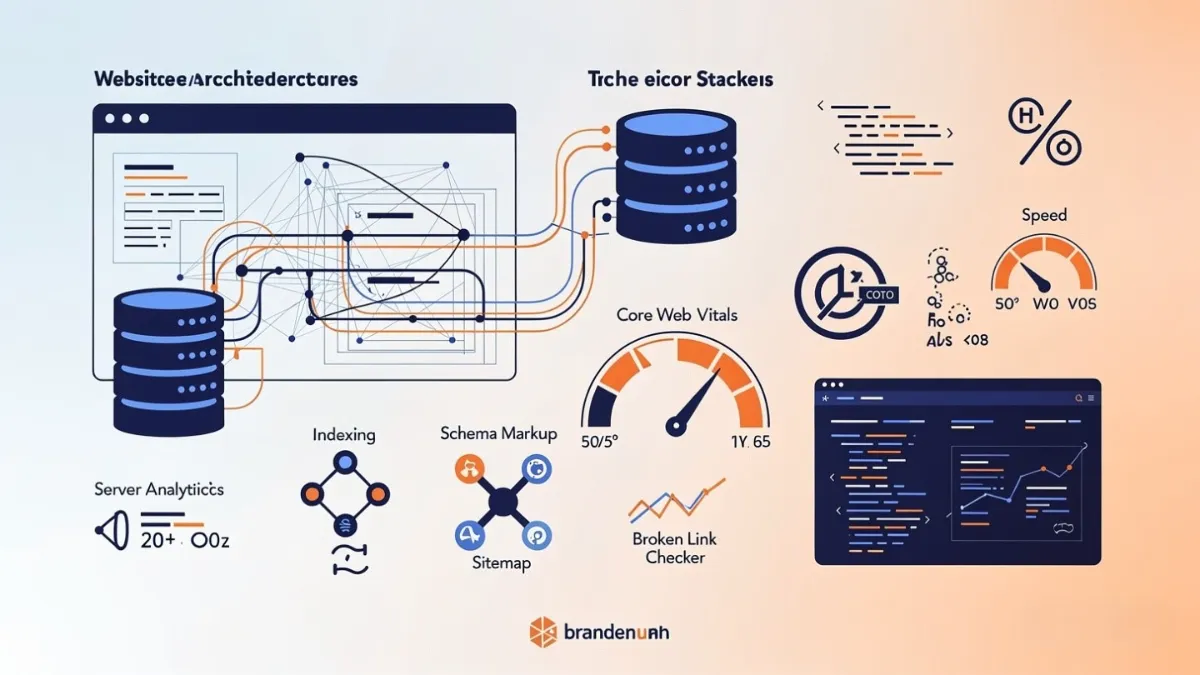
This guide covers every major category of technical SEO tool, the specific problems each one solves, which tools perform best in each category, and how to build a practical technical monitoring workflow around them. For broader strategic context, the complete SEO strategy guide shows how technical health fits into a full organic growth plan.
What This Guide Covers
- Why Technical SEO Tools Matter More Than Most Businesses Realise
- Crawl and Audit Tools
- Indexation and Coverage Tools
- Page Speed and Core Web Vitals Tools
- Schema and Structured Data Tools
- Robots.txt, Sitemap, and Canonical Tools
- Redirect and Link Health Tools
- Log File Analysis Tools
- Technical SEO Tools Compared at a Glance
- Building Your Technical SEO Monitoring Workflow
- Frequently Asked Questions
Why Technical SEO Tools Matter More Than Most Businesses Realise
Most businesses focus their SEO attention on content and keywords. That is understandable. Content is visible, tangible, and feels like productive work. Technical SEO is invisible until something breaks, and by the time it breaks badly enough to notice, weeks or months of ranking suppression have already compounded.
Technical issues do not announce themselves. A misconfigured robots.txt can block entire sections of your site from Google’s index and the only signal is a quiet, unexplained traffic drop. A redirect chain on your most important service page bleeds PageRank with every hop. Duplicate content across parameter URLs confuses which version Google should rank and splits authority between them.
Technical Problems That Directly Suppress Rankings
- Pages blocked from indexation by robots.txt or noindex tags accidentally applied
- Slow Core Web Vitals scores pushing pages down in mobile search results
- Duplicate content across URL parameters, trailing slashes, or HTTP vs HTTPS versions
- Broken internal links bleeding authority and creating dead ends for crawlers
- Missing or incorrect canonical tags leaving Google to guess which page to rank
- Render-blocking JavaScript preventing Google from seeing page content correctly
- XML sitemap errors submitting pages that return errors or are noindexed
- Orphaned pages with no internal links that crawlers and users cannot reach
None of these problems require a developer to introduce. A WordPress plugin update, a theme change, a new content management workflow, or a well-intentioned staging site configuration can create any of them overnight. Technical SEO tools are how you catch them before they cost you rankings.
The SEO analysis and website audit guide covers the full audit process in detail. This guide focuses specifically on the tools that power the technical layer of that process.
Crawl and Audit Tools
Crawl tools simulate how search engine bots move through your site, logging every page, every link, every response code, and every element they encounter. They are the starting point for any technical SEO investigation.
Screaming Frog SEO Spider
Screaming Frog is the industry standard desktop crawl tool. It has been the first choice for technical SEOs for over a decade because nothing else delivers the same depth of raw crawl data. Every page, every link, every response code, every element gets logged and exported. If you want to know exactly what Google’s crawler sees on your site, Screaming Frog shows you.
- Crawl any site type including JavaScript-rendered pages and password-protected environments
- Integrate with Google Analytics, Search Console, and PageSpeed Insights APIs for enriched data
- Custom extraction using CSS selectors, XPath, or regex for any on-page element
- Visualise site architecture as tree diagrams and crawl path maps
- Bulk export every finding to Excel or Google Sheets for custom analysis
Semrush Site Audit
Semrush Site Audit runs scheduled cloud-based crawls against over 130 technical checks and presents findings in a clean, prioritised dashboard with a site health score. Its strength over Screaming Frog is convenience and continuity: it monitors your site on a schedule and alerts you when new critical issues appear, so technical problems get caught proactively rather than in a monthly manual crawl.
- Scheduled automatic crawls with email alerts for new critical errors
- Thematic reports covering Core Web Vitals, HTTPS, internal linking, and crawlability separately
- Progress tracking showing site health score improvement over time
- Side-by-side crawl comparison to see exactly what changed between audit runs
Ahrefs Site Audit
Ahrefs Site Audit is widely regarded as the most accurate JavaScript-rendering audit tool available. For sites built on React, Vue, Angular, or any modern framework where content is rendered client-side, Ahrefs crawls more accurately than most competitors. Its Page Explorer feature lets you filter any segment of your site by almost any parameter and export the results instantly.
- Full JavaScript rendering for accurate auditing of modern CMS and SPA builds
- Visual internal link distribution maps showing link equity flow across your site
- Crawl comparison reports showing new, fixed, and recurring issues between crawls
- Free access for verified site owners through Ahrefs Webmaster Tools
Sitebulb
Sitebulb sits between Screaming Frog’s raw power and Semrush’s polished reporting. Its Hints system scores every issue by opportunity and impact, making it the easiest audit tool to use for producing client-ready presentations. Lighthouse is built in for accurate Core Web Vitals scoring per page, and its visual crawl maps are clearer than any competing platform.
- Opportunity-scored Hints that rank issues by potential ranking impact
- Built-in Lighthouse for page-level Core Web Vitals scores
- White-label PDF audit reports suitable for client delivery
- Side-by-side crawl comparison to demonstrate progress between audits
Indexation and Coverage Tools
Ranking requires indexation. A page that is not in Google’s index cannot appear in search results, no matter how well optimised it is. Indexation tools tell you exactly which pages Google has indexed, which it has excluded, and why.
Google Search Console
Google Search Console is non-negotiable. Every other tool on this list simulates how Google sees your site. Search Console shows you how Google actually sees it, directly from the source. Its Coverage report is the authoritative record of which pages are indexed and why others are excluded. No third-party tool can replicate this accuracy.
- Coverage report shows every page status: indexed, excluded, error, warning, with specific reasons for each
- URL Inspection tool tests any individual page’s live indexability in real time and shows the rendered HTML
- Core Web Vitals report identifies poor and failing pages grouped by issue type
- Mobile Usability report flags rendering problems affecting your mobile search performance
- Manual Actions report alerts you immediately to any Google penalty on your site
- Sitemaps report confirms your submitted sitemap is being processed correctly
Page Speed and Core Web Vitals Tools
Page speed has been a Google ranking signal since 2010. Core Web Vitals became a confirmed ranking factor in 2021. Today, a site that fails Core Web Vitals on mobile is at a measurable ranking disadvantage against faster competitors targeting the same keywords.
Google PageSpeed Insights
PageSpeed Insights scores every page against Google’s own performance metrics and splits results between lab data (simulated) and field data (real user experience from the Chrome User Experience Report). The field data is what actually affects your rankings, making PageSpeed Insights the most directly relevant speed tool available.
- Largest Contentful Paint, Cumulative Layout Shift, and Interaction to Next Paint scores per page
- Separate mobile and desktop scores reflecting how real users experience your site on each device
- Specific improvement opportunities with estimated time savings for each fix
- Field data from real Chrome users, not just simulated scores
GTmetrix
GTmetrix provides detailed waterfall analysis showing exactly how your page loads, element by element, in chronological order. This makes it the best diagnostic tool for understanding what is causing speed problems and in what sequence, particularly for identifying render-blocking resources and third-party script delays that are harder to isolate in PageSpeed Insights alone.
- Waterfall chart showing load sequence of every resource on the page
- Test from multiple geographic locations to understand latency impact
- Video playback of the page loading so you can see exactly when content becomes visible
- Scheduled monitoring with alerts when performance drops below your set threshold
WebPageTest
WebPageTest is the most technically detailed free speed tool available. It lets you test from real devices across dozens of global locations, simulate specific network conditions, and run filmstrip view comparisons between your site and competitors. For developers diagnosing complex performance issues, WebPageTest exposes data that simpler tools do not surface.
- Test on real browser instances, not just simulations
- Filmstrip comparison view showing visual load progress frame by frame
- Network throttling to simulate 3G, 4G, and cable connections accurately
- Detailed timing breakdown for Time to First Byte, First Contentful Paint, and all Core Web Vitals
Schema and Structured Data Tools
Structured data tells Google what your content is about in a language it can parse directly, making your pages eligible for rich results: star ratings, FAQ dropdowns, recipe cards, product prices, event listings. Rich results earn higher click-through rates at the same ranking position, which makes schema markup one of the highest-leverage technical improvements available on many sites.
Google Rich Results Test
The Rich Results Test is the official Google tool for validating structured data on any page. It shows you exactly which schema types are detected, whether they are valid, and whether your page is eligible for specific rich result types in search. It is the most authoritative validation tool available because it uses Google’s own parser.
- Live URL test showing which rich result types your page qualifies for
- Code snippet test letting you validate schema before deploying it to your live site
- Clear error and warning breakdown for every schema property
Schema Markup Validator (schema.org)
The official schema.org validator checks your structured data against the full schema.org specification, covering a wider range of schema types than Google’s Rich Results Test, which only validates types Google specifically supports for rich results. Use both together: schema.org for technical correctness and Google’s tool for rich result eligibility.
- Validates JSON-LD, Microdata, and RDFa schema implementations
- Catches property errors and type mismatches across all schema.org types
- Supports URL testing and direct code pasting
Robots.txt, Sitemap, and Canonical Tools
Three of the most impactful technical SEO files on your site are also three of the easiest to get wrong: robots.txt, XML sitemap, and canonical tags. Each one shapes how search engines crawl, index, and consolidate your site, and a single mistake in any of them can affect rankings across entire sections of your domain.
Robots.txt Generator
Your robots.txt file tells search engine crawlers which pages and directories they are allowed to access and which to ignore. A misconfigured robots.txt is one of the most common causes of major indexation drops, particularly after site migrations or plugin updates that accidentally overwrite the file. Use a reliable generator to build a correct file every time.
Generate a correct robots.txt for your site using the free robots.txt generator tool, then validate the output in Google Search Console’s robots.txt tester.
XML Sitemap Generator
Your XML sitemap tells Google which pages exist on your site and when they were last updated. A sitemap with errors, outdated URLs, or pages that return non-200 status codes wastes crawl budget and can slow down indexation of new content. Generate a clean, correct sitemap and submit it through Search Console every time you make significant structural changes to your site.
Create a clean XML sitemap for your site using the free sitemap generator tool and submit it directly to Google Search Console.
Canonical Tag Generator
Canonical tags tell Google which version of a page is the primary one when duplicate or near-duplicate versions exist across multiple URLs. Without correct canonicals, Google splits ranking signals between duplicate versions instead of consolidating them on your preferred URL. This is especially critical on e-commerce sites with filtered URLs, pagination, and product variants.
Generate correct canonical tag code for any page using the free canonical tag generator tool and implement it in your page head section or via your CMS settings.
Redirect and Link Health Tools
Every unnecessary redirect in a chain costs PageRank. Every broken internal link creates a dead end for both crawlers and users. Redirect and link health tools identify both problems across your entire site before they compound into meaningful authority loss.
Redirect Path (Chrome Extension)
Redirect Path is a lightweight Chrome extension that shows the complete redirect chain for any URL you visit. You see every hop, every status code, and the final destination in a single click. It is the fastest way to audit redirect chains manually on specific pages without running a full site crawl.
- Instantly shows the full redirect chain for any URL in the browser
- Displays HTTP status codes at every step: 301, 302, 307, 404
- Flags problematic chains and meta refreshes inline in the toolbar
Screaming Frog (Redirect Auditing)
For a full site-wide redirect audit, Screaming Frog is the most thorough tool available. It maps every redirect chain across your entire domain, showing the number of hops, the status codes at each step, and the final destination. The Filter by “Redirect Chains” view makes it straightforward to identify and prioritise which chains need collapsing.
What to Fix First in a Redirect Audit
- Redirect chains with 3 or more hops pointing to high-value pages
- 302 temporary redirects on permanent URL changes that should be 301s
- Redirect loops where two or more URLs redirect to each other indefinitely
- Internal links still pointing to the old URL before the redirect, rather than the final destination
Log File Analysis Tools
Server log files record every request made to your server, including every time Google’s crawler visits a page, which pages it visits most often, and which it skips. Log file analysis is the most advanced form of technical SEO investigation because it shows you actual crawler behaviour rather than simulated approximations.
Screaming Frog Log File Analyser
Screaming Frog’s standalone Log File Analyser processes raw server log files and presents Googlebot’s crawl behaviour in a readable format. You can see which pages Googlebot visits most, which it ignores, how crawl frequency correlates with your content update schedule, and whether crawl budget is being wasted on low-value pages like filtered URLs, session parameters, or staging environments.
- Identify pages Googlebot visits frequently but that have no search value
- Spot important pages Googlebot rarely or never visits and investigate why
- Cross-reference crawl data with your sitemap to find uncrawled pages
- Understand how crawl budget is distributed across different site sections
Technical SEO Tools Compared at a Glance
| Tool | Category | Best For | Free Option | Paid From |
|---|---|---|---|---|
| Google Search Console | Indexation monitoring | Every website: baseline tool | Yes, fully free | Free |
| Screaming Frog | Crawl auditing | Deep technical audits | Yes, up to 500 URLs | ~$235/year |
| Semrush Site Audit | Automated crawl monitoring | Ongoing scheduled auditing | Limited | ~$117/month |
| Ahrefs Site Audit | Crawl auditing | JS-heavy sites and agencies | Yes, verified sites | ~$99/month |
| Sitebulb | Crawl auditing and reporting | Client-ready audit reports | 7-day trial | ~$13.50/month |
| Google PageSpeed Insights | Speed and Core Web Vitals | Real-world performance data | Yes, fully free | Free |
| GTmetrix | Speed diagnostics | Waterfall analysis | Limited tests | ~$15/month |
| WebPageTest | Advanced speed testing | Developers and complex diagnosis | Yes, fully free | Free (API paid) |
| Google Rich Results Test | Schema validation | Rich result eligibility | Yes, fully free | Free |
| Robots.txt Generator | Crawl control | Generating correct robots.txt | Yes, fully free | Free |
| Sitemap Generator | Indexation support | Creating clean XML sitemaps | Yes, fully free | Free |
| Canonical Tag Generator | Duplicate content control | Implementing canonical tags correctly | Yes, fully free | Free |
Building Your Technical SEO Monitoring Workflow
Having the right tools is only useful if you use them consistently. The businesses that maintain strong technical health are not the ones that run an audit once and move on. They are the ones with a repeatable monitoring workflow that catches problems early, before they impact rankings.
A Practical Weekly and Monthly Monitoring Routine
- Every week: Check Google Search Console for new coverage errors, Manual Actions, and Core Web Vitals regressions. This takes 10 minutes and catches most critical issues before they compound.
- Every month: Run a full crawl with Screaming Frog or your preferred audit tool. Compare the health score to the previous month. Prioritise any new critical errors that appeared since the last crawl.
- After every site change: Run a targeted crawl on affected sections after any content migration, theme update, plugin change, or URL restructure. These changes introduce errors more frequently than any other activity.
- Every quarter: Run a full technical SEO analysis as part of your broader SEO analysis workflow, covering all five technical pillars alongside keyword and competitor review.
Connect your technical monitoring to your SEO audit tool comparison research so your choices are grounded in which tools actually cover your site’s specific needs, not just which ones appear first in a Google search.
For the broader marketing context that technical SEO supports, understanding how these fixes connect to your overall SEO marketing tools strategy helps you communicate technical work to non-technical stakeholders in terms of traffic, leads, and business outcomes rather than just error counts and health scores.
Google’s own Search Essentials documentation is also worth bookmarking as a reference for what Google actually requires technically, rather than relying solely on tool recommendations.
Conclusion: Technical SEO Tools Are Your Early Warning System
Technical SEO tools do not create rankings. They protect the rankings your content and links are working to build. They catch the errors that quietly undermine months of content investment. They surface the infrastructure problems that hold down an otherwise competitive site. And they give you the data to prioritise fixes by actual business impact rather than spending time on the noisiest issues instead of the most important ones.
Start with Google Search Console. Add Screaming Frog. Build the free tools stack first, generate your robots.txt, sitemap, and canonical tags correctly, and validate your schema. Then layer in paid tools as your site grows and your monitoring needs become more complex.
Technical SEO is not exciting work. But it is the foundation that makes every other SEO investment worth making.
Frequently Asked Questions
What are technical SEO tools used for?
Technical SEO tools crawl your website and identify infrastructure problems that prevent search engines from accessing, rendering, or ranking your pages correctly. They surface broken links, crawl errors, slow pages, duplicate content, missing canonical tags, schema errors, and indexation issues. Without them, these problems go undetected and silently suppress your rankings over time.
Which free technical SEO tools should every website use?
Every website should use Google Search Console for indexation monitoring and Core Web Vitals data. Screaming Frog’s free version covers a full technical crawl for sites up to 500 pages. Google PageSpeed Insights provides accurate speed and Core Web Vitals scoring at no cost. The free robots.txt generator, sitemap generator, and canonical tag generator tools handle the three most impactful technical files on your site.
Is Screaming Frog better than Semrush for technical auditing?
They serve different purposes rather than competing directly. Screaming Frog is the deeper, more customisable desktop crawl tool preferred by technical SEOs who need raw data and full extraction control. Semrush Site Audit offers scheduled cloud-based monitoring with a cleaner dashboard and easier ongoing management. Most professional SEO setups use both: Screaming Frog for deep investigations and Semrush for continuous monitoring.
What is a robots.txt file and why does it matter for SEO?
A robots.txt file instructs search engine crawlers which pages and directories on your site they are allowed or not allowed to access. It matters for SEO because a single mistake, such as accidentally blocking your entire site or a key section, can prevent Google from crawling and indexing your pages. This is one of the most common causes of sudden, unexplained drops in organic traffic after site changes.
What are Core Web Vitals and which tools measure them?
Core Web Vitals are Google’s page experience metrics used as ranking signals: Largest Contentful Paint measures loading speed, Cumulative Layout Shift measures visual stability, and Interaction to Next Paint measures responsiveness. Google PageSpeed Insights is the primary free tool for measuring them, alongside the Core Web Vitals report in Google Search Console. GTmetrix and WebPageTest provide additional diagnostic detail for understanding what is causing performance issues.