The best free SEO tools can help you build a reliable search optimization workflow without committing to an expensive software subscription. You can discover keyword opportunities, monitor Google visibility, identify technical errors, inspect backlinks, and improve page experience using a practical mix of free platforms.
But “free” does not always mean unlimited. Some tools are completely free for their core purpose. Others offer a permanent free account with restricted reports, crawl credits, or project limits. A few popular tools provide only a small sample of their paid platform. Knowing the difference helps you choose tools that fit your workload instead of wasting time on features you cannot access.
This guide compares 12 useful options by task, explains their strengths and limitations, and shows how to combine them into a simple SEO process. It is written for small businesses, bloggers, freelancers, website owners, and marketers who want useful data before paying for a full SEO suite.
Table of Contents
- How to choose free SEO tools
- Best free SEO tools compared
- Google Search Console
- Google Analytics 4
- Google Keyword Planner
- Google Trends
- Bing Webmaster Tools
- PageSpeed Insights
- Screaming Frog SEO Spider
- Ahrefs Free
- Google Rich Results Test
- More useful free SEO tools
- Build a free SEO workflow
- What free tools cannot do well
- Common mistakes to avoid
- Frequently asked questions
How to Choose the Right Free SEO Tools
Do not choose tools just because they appear in a long list. Start by identifying the SEO decision you need to make. A keyword tool cannot tell you whether Google has indexed your pages, and a site crawler cannot tell you how many sales came from organic search. Each tool observes a different part of the process.
Evaluate each tool against five questions:
- Data source: Does it report data from your own website, a search engine, or a third-party database?
- Free access: Is it free indefinitely, free after site verification, or a limited freemium account?
- Usage limits: Are there restrictions on pages crawled, reports, projects, queries, or exported rows?
- Practical value: Does it help you make a decision or simply produce another score?
- Fit: Is it appropriate for your website size, skill level, and SEO workload?
Best Free SEO Tools Compared
The table below focuses on practical use rather than declaring one universal winner. The listed limits are the publicly documented limits available from the providers at the time this guide was prepared. Providers can change plans and quotas, so check the linked official pages before building a recurring process around a specific allowance.
| Tool | Best for | Free access and key limitation |
|---|---|---|
| Google Search Console | Google search performance and indexing | Free for verified properties; reports your own site’s Google data |
| Google Analytics 4 | Traffic behavior and conversions | Free standard platform; requires correct setup and event tracking |
| Google Keyword Planner | Keyword ideas and search estimates | Available through Google Ads; account setup and billing information required |
| Google Trends | Seasonality and relative topic interest | Free; interest is indexed, not absolute search volume |
| Bing Webmaster Tools | Bing visibility, site scans, and SEO diagnostics | Free for verified sites; focuses on Bing’s search ecosystem |
| PageSpeed Insights | Performance and Core Web Vitals | Free page testing; lab and field data availability varies by URL |
| Screaming Frog SEO Spider | Technical site crawling | Free crawl up to 500 URLs; advanced functions are restricted |
| Ahrefs Free | Backlinks and audits for your own sites | Verified sites; 5,000 crawl credits per project monthly and report row limits |
| Google Rich Results Test | Google-supported structured data checks | Free; tests eligibility signals, not ranking performance |
| Google Search Central tools | SEO documentation and diagnostics | Free documentation and testing resources; not a keyword database |
| Yoast SEO | WordPress on-page guidance | Free plugin with basic features; advanced functionality is paid |
| Rank Math | WordPress SEO setup and on-page checks | Free plugin tier; some integrations and advanced features require paid plans |
1. Google Search Console
Best for: Measuring how your website performs in Google Search.
Google Search Console should be one of the first tools you configure. It gives verified site owners information about search queries, impressions, clicks, click-through rate, average position, indexing, and certain technical experiences. It helps answer a crucial question: how does Google currently see and present your website?
What you can do with it
- Find queries that generate impressions and clicks.
- Identify pages that receive visibility but have a low click-through rate.
- Review indexing reports and investigate pages that are not indexed.
- Submit and monitor XML sitemaps.
- Inspect individual URLs and request indexing when appropriate.
- Review Core Web Vitals and supported enhancement reports.
Strategic use: Look for pages that receive impressions for relevant queries but attract fewer clicks than expected. Review the search intent, title, description, and competing result formats before rewriting the page. Also look for queries where a page ranks for an unexpected but relevant phrase. Those terms can reveal missing subtopics or useful content updates.
Limitations: Search Console reports Google’s data for properties you can verify. It is not a complete competitor research platform, and its performance reports should not be treated as a live rank tracker for every search location and device.
2. Google Analytics 4
Best for: Understanding what visitors do after arriving on your website.
Search Console explains how people find your site through Google. Google Analytics 4 helps you understand what happens after they arrive. It can report acquisition channels, landing pages, engagement, events, and conversions when your measurement setup is configured correctly.
How SEO teams should use GA4
- Review organic search sessions and landing pages.
- Measure key events such as form submissions, purchases, sign-ups, or calls where tracking is available.
- Compare engagement and conversion behavior across landing pages.
- Identify pages that attract organic visitors but fail to move them toward a useful action.
- Build reports for the metrics that matter to the business.
For example, an article may receive a steady increase in organic traffic but generate few enquiries. GA4 can help you investigate whether visitors engage with the content, click internal links, or reach a conversion page. The answer may be a content-intent mismatch, a weak call to action, or a problem elsewhere in the user journey.
Limitations: Analytics quality depends on implementation, consent settings, event definitions, and data configuration. A default installation does not automatically measure every business outcome. Check that important events are recorded accurately before using them to evaluate SEO.
3. Google Keyword Planner
Best for: Generating keyword ideas and reviewing Google’s search estimates.
Keyword Planner is designed for Google Ads campaign research, but SEO professionals also use it to discover related terms and understand approximate search demand. You can start with phrases related to a business or enter a website to generate keyword ideas.
How to use it for SEO
- Enter a core service, product, or topic.
- Choose the relevant country, language, and network settings.
- Review related keyword ideas and their search estimates.
- Group phrases by intent rather than treating every variation as a separate page.
- Validate promising topics against Search Console, search results, and customer needs.
Limitations: Keyword Planner requires a Google Ads account, and Google says account setup must be completed with billing information to access basic features. Search estimates are advertising-oriented and may be shown in ranges depending on account conditions. Do not interpret them as exact organic traffic forecasts.
4. Google Trends
Best for: Understanding seasonality and changes in search interest.
Google Trends shows relative search interest over time and across locations. It is useful when choosing between topics, planning seasonal campaigns, and comparing how interest in different phrases changes.
Useful SEO applications
- Compare alternative terms that describe the same product or service.
- Identify seasonal patterns before publishing time-sensitive content.
- Explore regional differences in search interest.
- Find related rising topics that may deserve further research.
- Check whether a topic is growing, stable, or declining over the selected period.
Suppose you run an outdoor equipment store. Comparing interest in “camping tent” and “hiking tent” across your target markets may help you understand terminology and seasonal demand. You should still validate those terms with product fit and other keyword research sources.
Limitations: Trends uses a normalized scale, not a direct count of monthly searches. A score of 100 represents peak relative interest within the selected comparison, location, and period. It does not mean 100 searches.
5. Bing Webmaster Tools
Best for: Monitoring Bing search performance and finding technical issues.
Bing Webmaster Tools is a useful companion to Google Search Console. It offers Bing-specific performance information and a set of diagnostic features for verified websites. Its Site Scan feature crawls a site and checks for common technical SEO issues.
What makes it useful
- Review search performance in Bing.
- Inspect site crawling and indexing information.
- Run Site Scan to identify common technical problems.
- Use available keyword and backlink reports as additional research inputs.
- Submit sitemaps and review supported site diagnostics.
Limitations: Bing data reflects Bing’s ecosystem, not Google’s. Use it as an additional search engine perspective rather than assuming its impressions or rankings represent the entire organic market.
6. Google PageSpeed Insights
Best for: Reviewing page performance and Core Web Vitals.
PageSpeed Insights analyzes a page on mobile and desktop and provides performance diagnostics. Where field data is available, it can show how real Chrome users experience the page. It also provides lab diagnostics that help developers investigate performance problems.
What to inspect
- Largest Contentful Paint (LCP): How quickly the main content becomes visible.
- Interaction to Next Paint (INP): How responsive the page feels to user interactions.
- Cumulative Layout Shift (CLS): How much visible content shifts unexpectedly.
- Lab diagnostics: Opportunities involving images, scripts, CSS, and other page resources.
Test important templates, not only the home page. A store’s category page, product page, blog article, and checkout may load very differently. Prioritize fixes that affect real users and important templates rather than chasing a perfect score for its own sake.
Limitations: A single test is a snapshot, and lab conditions are not identical to every visitor’s device or network. Field data may be unavailable for low-traffic pages. Use the results to guide investigation, then validate changes with real-user data where possible.
7. Screaming Frog SEO Spider
Best for: Crawling a website and finding technical SEO issues.
Screaming Frog SEO Spider is a desktop crawler for Windows, macOS, and Linux. It visits URLs on a site and collects information such as page titles, meta descriptions, headings, response codes, directives, and internal links. It is especially useful when a website has too many pages to inspect manually.
What you can audit
- Missing, duplicate, or overly long page titles and meta descriptions.
- Broken internal links and redirect chains.
- Duplicate pages and canonicalization signals.
- Missing headings or image alt attributes.
- Indexability directives and response codes.
- Internal linking patterns and crawl depth.
The free version can crawl up to 500 URLs per crawl. That is enough for many small websites and for sampling important sections of a larger site. The free version also restricts configuration, saving crawls, and certain advanced features.
8. Ahrefs Free
Best for: Backlink insights and technical audits on websites you own.
Ahrefs Free provides ongoing access to selected Ahrefs tools. For verified websites, it includes Site Audit and limited Site Explorer reports. This makes it useful for checking your own backlink profile, organic keywords, top pages, and technical health.
Documented free-account limits
- Site Audit: 5,000 crawl credits per month per project.
- Site Explorer: up to 1,000 backlinks and keywords visible at once.
- Site Explorer and Site Audit require website ownership verification.
- Some additional tools, including the SEO Toolbar, are available without site verification but with limited metrics.
Limitations: Ahrefs Free is not the same as unrestricted access to the full paid Ahrefs platform. Its free access is focused on your verified properties. Do not assume that you can perform unlimited competitor research or use every premium report without a subscription.
Use it to investigate which pages attract links, identify important referring domains, and spot technical issues. For broader link prospecting and competitor analysis, you may eventually need a paid data source.
9. Google Rich Results Test
Best for: Checking whether a page contains structured data that can support Google rich results.
Structured data helps search engines interpret certain page information. The Rich Results Test checks publicly accessible URLs or code snippets for structured data that may support Google rich result features.
It is useful after implementing product, review, recipe, article, or other supported markup. Run the test on representative page templates, fix errors, and confirm that the structured data matches what users can see on the page.
Limitations: Passing the test does not guarantee that Google will display a rich result or improve rankings. It checks eligibility signals for supported features, not the overall quality or performance of a page.
10–12. More Useful Free SEO Tools
10. Google Search Central
Google Search Central is an official resource for SEO documentation, crawling guidance, structured data requirements, and troubleshooting. It is not a keyword database, but it is one of the most useful places to verify how Google says its systems work. Use it when you need to confirm whether a technical recommendation is supported by current Google documentation.
11. Yoast SEO
Yoast SEO’s free WordPress plugin helps manage basic on-page SEO elements, XML sitemaps, and content analysis within the WordPress editor. It can make routine publishing tasks easier for teams that use WordPress. Treat its traffic-light assessments as editorial prompts, not as Google’s ranking formula. Advanced features are available in paid offerings.
12. Rank Math
Rank Math offers a free WordPress plugin with on-page SEO controls and support for common SEO setup tasks. It can help manage titles, descriptions, schema options, and other settings from the WordPress dashboard. Review which features are included in the current free plan before choosing it, and avoid running multiple SEO plugins that manage the same metadata or schema.
How to Build a Practical Free SEO Workflow
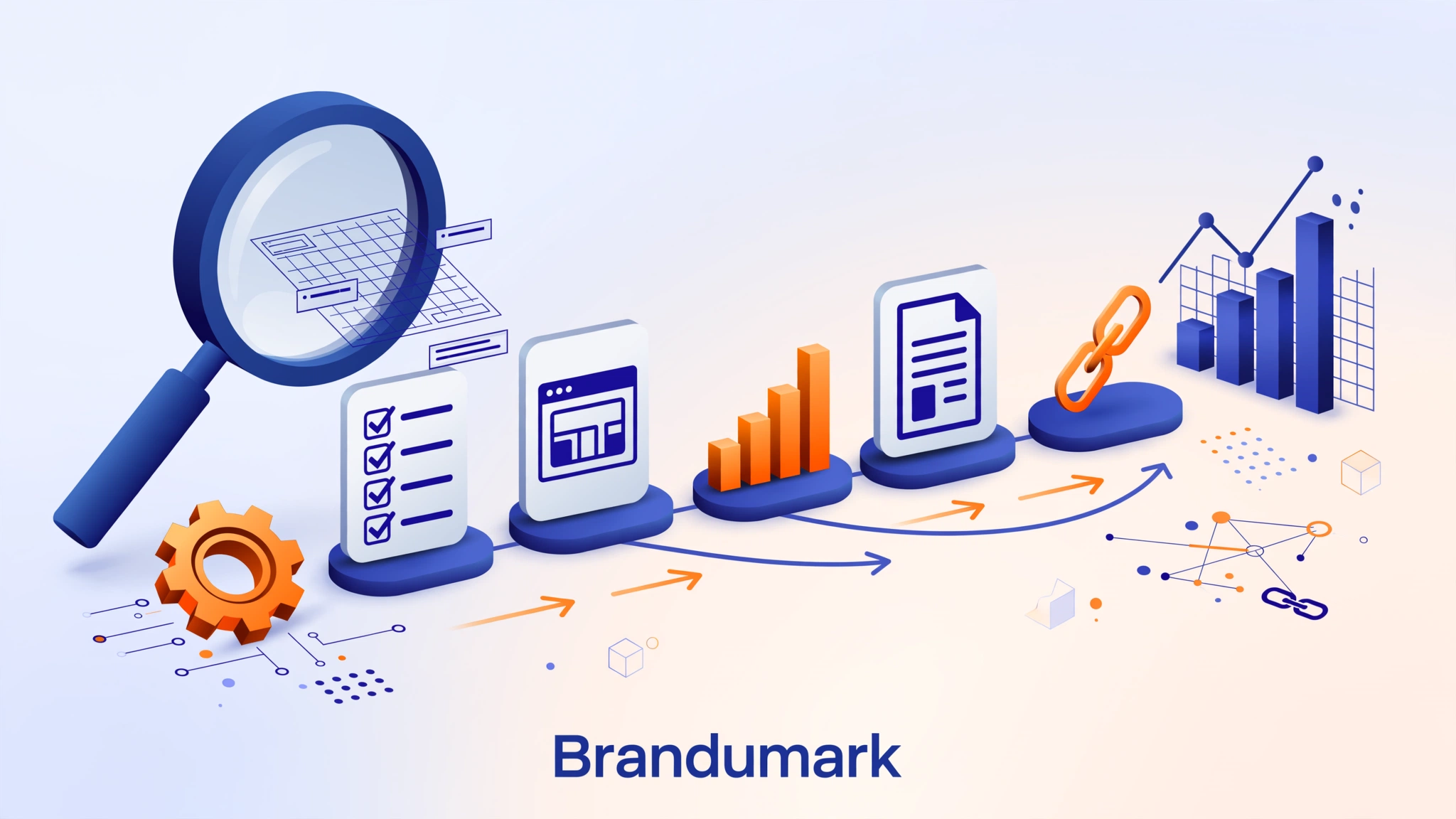
You do not need to open all 12 tools every day. A better approach is to use a small set in a repeatable sequence, with each tool answering a different question.
Use Keyword Planner and Google Trends to identify relevant topics, keyword variations, and seasonality. Check search results to understand intent.
Use Search Console to identify queries, pages, impressions, clicks, and indexing issues for your own website.
Use Screaming Frog or Bing Site Scan to identify broken links, duplicate metadata, redirects, and technical problems.
Use PageSpeed Insights to investigate performance and Rich Results Test to check supported structured data.
Use GA4 to connect organic visits with enquiries, sign-ups, purchases, or other meaningful conversions.
A simple weekly and monthly routine
| Frequency | Activity | Tools |
|---|---|---|
| Weekly | Review important query and landing-page changes | Search Console |
| Weekly | Check organic engagement and conversion events | GA4 |
| Monthly | Review keyword opportunities and seasonality | Keyword Planner, Trends |
| Monthly | Crawl priority sections and fix repeated technical issues | Screaming Frog, Bing Site Scan |
| After major changes | Test page performance and structured data | PageSpeed Insights, Rich Results Test |
| Monthly or quarterly | Review backlinks and technical health | Ahrefs Free |
For more structured planning, use a documented SEO strategy and pair it with regular SEO analysis. The tools provide evidence; your priorities and decisions turn that evidence into a plan.
What Free SEO Tools Cannot Do Well
Free tools can cover a surprising amount of foundational SEO work. They do not remove every constraint, especially when you manage a large site, multiple clients, or competitive markets.
- Deep competitor intelligence: Many free accounts limit competitor domain research, keyword gap reports, historical data, or exports.
- Large-scale crawling: Free crawlers may cap the number of URLs or restrict advanced crawl configuration.
- Continuous rank tracking: A free report or manual search does not provide a complete, location-specific daily ranking history.
- Complete backlink databases: Third-party link indexes differ in coverage and may show only a subset of known links.
- Automated reporting at scale: Large teams may need scheduled reports, integrations, permissions, and API access.
- Strategic judgment: No tool can decide which audience, product, page, or business objective deserves priority without context.
Consider paying for a tool when a specific free limit repeatedly blocks important work. For example, a 500-URL crawler may be enough for a small business site but insufficient for a large ecommerce catalog. The decision should be based on the time saved, quality of insight, and value of the work enabled, not the number of features in a pricing comparison.
Common Mistakes When Using Free SEO Tools
- Chasing tool scores: A score is a diagnostic signal, not a substitute for qualified traffic, conversions, or a good user experience.
- Confusing estimates with measured data: Third-party traffic and keyword estimates are not the same as Search Console or analytics data.
- Using every tool at once: Too many dashboards create activity without improving decisions. Choose tools by task.
- Ignoring free-tier restrictions: Check crawl limits, query allowances, account requirements, and export caps before planning work.
- Making changes without a baseline: Record current performance before changing templates, URLs, or content.
- Following automated recommendations blindly: Validate suggestions against search intent, site context, and official search engine documentation.
- Expecting instant rankings: Tools identify opportunities and issues; they do not guarantee indexing, traffic, or ranking improvements.
Frequently Asked Questions About Free SEO Tools
1. What is the best free SEO tool for beginners?
Google Search Console is the best starting point for most website owners because it shows how their verified site performs in Google Search. Add Google Analytics 4 to understand what visitors do after arriving. These two tools provide a useful foundation before you explore more specialized platforms.
2. Can I do SEO for free?
Yes. You can research topics, monitor search visibility, audit a small website, test page performance, and validate structured data using free tools. The main constraints are usually data depth, usage limits, automation, and competitor research rather than the ability to do basic SEO work.
3. Is Google Keyword Planner free for SEO?
Keyword Planner is available through Google Ads and can provide keyword ideas and search estimates. Google requires account setup with billing information to access basic features. It is designed for advertising research, so use its estimates as one input rather than a precise forecast of organic traffic.
4. Is Ahrefs Free actually free?
Ahrefs offers a permanent free account with limited access to selected tools. Site Audit and Site Explorer features for your own websites require ownership verification and have usage or report limits. It is not equivalent to unrestricted access to the paid Ahrefs platform.
5. Is Screaming Frog free?
Yes. Screaming Frog SEO Spider has a free version that can crawl up to 500 URLs per crawl. Some advanced features and configuration options are restricted unless you purchase a licence.
6. Which free SEO tool is best for checking website speed?
Google PageSpeed Insights is a strong free starting point for checking mobile and desktop performance. It combines lab diagnostics with real-user field data when enough data is available. Test important page templates rather than relying on a single homepage score.
7. Are free SEO tools accurate?
Accuracy depends on what the tool measures. Search Console reports Google’s data for your property, while third-party platforms estimate rankings, traffic, and backlinks using their own datasets. Understand the data source and use multiple tools when a decision depends on more than one type of evidence.
8. Do I need paid SEO software to rank on Google?
No. Paid SEO software is not a requirement for ranking in Google Search. It can save time and provide deeper research or automation, but strong technical foundations, useful content, relevant pages, and consistent measurement matter more than owning an expensive subscription.
Conclusion: Build a Smarter SEO Toolkit, Not a Bigger One
The best free SEO tools are the ones that help you make better decisions. Start with first-party data from Google Search Console and GA4, use Keyword Planner and Trends to research demand, and add technical tools such as Screaming Frog, Bing Webmaster Tools, PageSpeed Insights, and Ahrefs Free when their specific capabilities are needed.
Keep a clear distinction between fully free services and restricted free accounts. Check the provider’s current terms before relying on a limit, and upgrade only when a real workflow need justifies the cost. A focused toolkit, used consistently, can support a disciplined SEO program without a large software budget.
- Set up measurement. Verify your website in Search Console and configure GA4 events for meaningful actions.
- Research opportunities. Use Keyword Planner and Trends to build topic groups and understand search interest.
- Audit your website. Crawl important pages and fix recurring technical issues first.
- Improve page experience. Test priority templates with PageSpeed Insights and validate relevant structured data.
- Review outcomes. Measure qualified organic visits and conversions, then refine your SEO priorities.
Official Tool Documentation and References
- Google Search Console: Measure your performance on Google
- Google Ads: Use Keyword Planner
- Google for Developers: About PageSpeed Insights
- Bing Webmaster Tools: Site Scan
- Screaming Frog: SEO Spider pricing and free version
- Ahrefs: Free account features and limits
- Google Search Console: Rich Results Test
- Google Search Central documentation