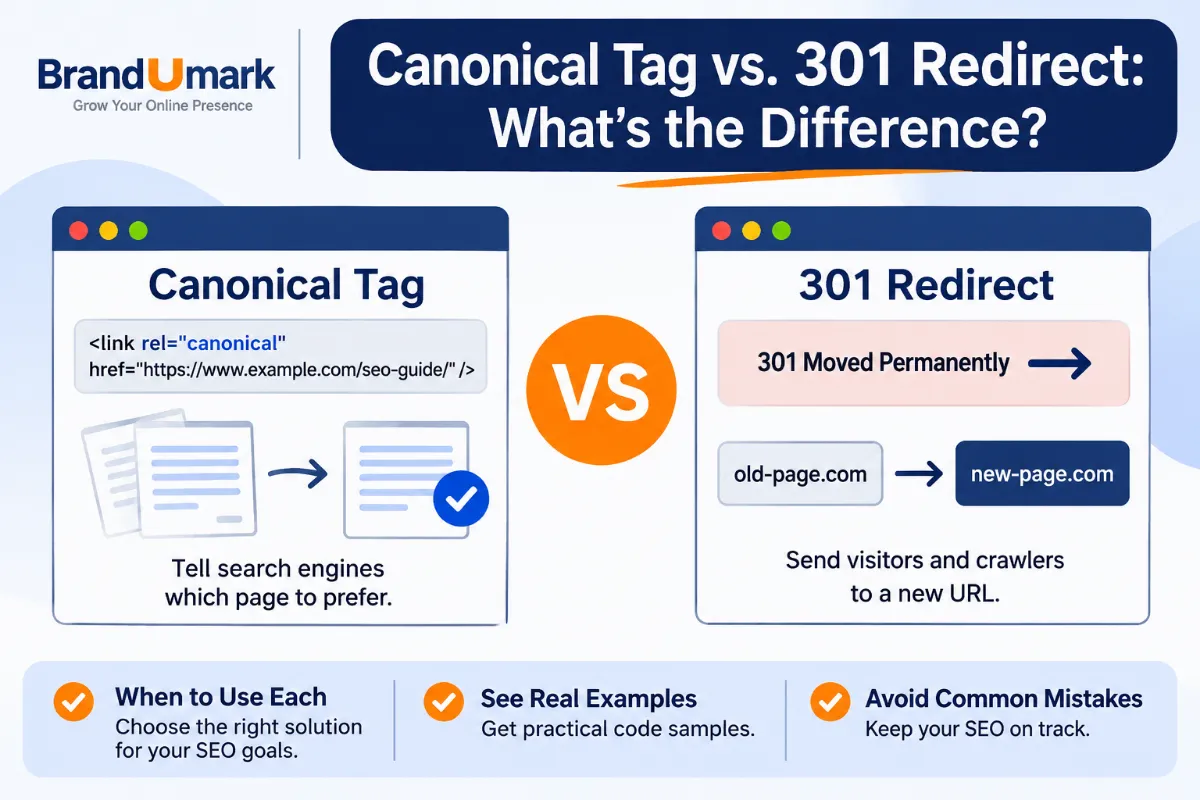
Two URLs can show the same content, compete for attention, and make it harder to maintain clean SEO signals. But the fix is not always to send every alternative URL somewhere else.
Understanding canonical tag vs 301 redirect helps you choose the right technical SEO action: tell search engines which page is preferred, or move the old URL permanently. This guide explains how each works, when to use it, examples you can adapt, and mistakes to check before publishing.
Table of Contents
What Is a Canonical Tag?
A canonical tag is an HTML link element that signals the preferred URL among duplicate or very similar pages. It usually appears inside the document’s <head> and uses rel="canonical".
For example, a product page might be accessible with tracking or filter parameters. You can keep those URLs available while indicating that the clean product URL is the preferred version for search.
Canonical tag example
<link rel="canonical"
      href="https://example.com/shoes/blue-running-shoe/" />
Place this element in the HTML head of the duplicate page. The URL in the href should be the absolute, preferred URL.
A canonical is a signal, not a command. Search engines may choose a different canonical if other signals, page content, redirects, internal links, or sitemap entries conflict with your preference.
It is also common to add a self-referencing canonical to the preferred page itself. This makes the site’s preference clear and helps avoid accidental ambiguity.
What Is a 301 Redirect?
A 301 is an HTTP status code meaning that a URL has moved permanently. When a browser requests the old address, the server responds with a redirect to the new address. The browser then loads the destination.
Unlike a canonical tag, a redirect does not leave the old page available at its original URL. Visitors and crawlers are sent to the destination instead.
301 redirect example
https://example.com/old-seo-guide/
    -- 301 permanently moved -->
https://example.com/seo-guide/
Configure the redirect on the server, hosting platform, or a reliable redirect-management system. For a permanent URL change, a server-side 301 or 308 is generally the clearest option for search engines.
A permanent redirect is a strong signal that the destination should replace the source in search results. It is appropriate when the old URL should no longer serve its former content.
Canonical Tag vs. 301 Redirect: Key Differences
| Factor | Canonical tag | 301 redirect |
|---|---|---|
| What it does | Suggests a preferred URL for similar pages. | Moves a request from the old URL to a new URL. |
| Old URL accessible? | Yes, it can remain accessible. | Normally no. The request is sent to the destination. |
| Best for | Duplicate or near-duplicate pages that must remain live. | Permanent page moves, retired URLs, or URL consolidation. |
| Strength of signal | Strong canonicalization signal, but still a hint. | Strong permanent-move signal. |
| User experience | Users can still visit the alternate URL. | Users land on the new URL automatically. |
| Implementation | HTML head element or supported HTTP header. | Server, host, CMS, or redirect configuration. |
Google describes redirects and canonical annotations as strong signals for canonicalization. They can reinforce each other where appropriate, but they are not interchangeable: a redirect changes the URL users access, while a canonical tag expresses a preference between accessible URLs.
Link header for supported file types such as PDFs. Do not add a canonical tag to a page that should simply be removed and permanently replaced.When Should You Use a Canonical Tag or 301 Redirect?
Use a canonical tag when both URLs should remain usable
Choose a canonical when the alternate URL has a reason to exist for visitors, but you want search engines to consolidate signals around a preferred page.
Common canonical tag use cases
- Product pages with tracking parameters, such as
?utm_source=email. - Sort or filter variations that show substantially the same main content.
- Print-friendly or alternate page versions where both versions remain available.
- Similar pages on the same site where one is the preferred representative and the alternate must remain accessible.
Use a 301 redirect when the old URL is no longer needed
Choose a permanent redirect when you have changed a page’s address, merged content, moved a site, or retired an old page with a clear replacement.
Common 301 redirect use cases
- Changing a page slug from an outdated URL to a new, relevant URL.
- Combining two overlapping articles into one stronger resource.
- Moving a website from HTTP to HTTPS or consolidating host versions.
- Redirecting an old domain or URL structure after a migration.
If a removed page has no genuinely relevant replacement, do not redirect it to an unrelated page just to avoid a 404. A useful 404 or 410 response may be more accurate than a misleading redirect.
Canonical Tag vs. 301 Redirect: Practical Examples
Example 1: Tracking parameters on a product page
Suppose a product is available at the clean URL and a campaign URL:
https://shop.example.com/bags/commuter-pack/
https://shop.example.com/bags/commuter-pack/?utm_campaign=spring
The campaign URL can remain functional for analytics. Add a canonical on the parameter version pointing to the clean product URL, and keep internal links and the sitemap focused on the clean URL.
Example 2: An article has moved to a new slug
You changed /seo-basics-2022/ to /seo-basics/ and the old page is no longer meant to exist separately. Set up a 301 from the old URL to the new one, update internal links, and remove the old URL from the sitemap.
Example 3: Two articles are merged
If you combine two overlapping articles into one comprehensive guide, redirect the retired article to the new guide when the destination satisfies the old page’s intent. Update navigation, internal links, and any references you control.
Example 4: A duplicate page must stay accessible
If a printer-friendly page or a campaign-specific variation must remain available, a canonical may be suitable when the content is duplicate or very similar. A redirect would prevent visitors from using that alternate URL directly.
Common Canonical and Redirect Mistakes
1. Using a canonical tag instead of moving a retired page
If the old URL should stop serving content, a canonical alone does not move visitors. Use a permanent redirect when a suitable replacement exists.
2. Redirecting pages that should remain available
Do not redirect a useful alternate version merely because its URL looks different. If visitors need it and the content is duplicate or very similar, a canonical may be the better signal.
3. Pointing the canonical to an irrelevant page
Canonical targets should represent the same or substantially similar content. Do not canonicalize unrelated pages to force them into one URL.
4. Creating redirect chains or loops
For example, URL A redirects to B, B redirects to C, and C redirects to A. This loop prevents a clean destination. Update rules so each old URL redirects directly to the final destination wherever possible.
5. Sending conflicting signals
A page may canonicalize to URL B while the sitemap, internal links, or redirect rules point elsewhere. Use one consistent preferred URL across canonical annotations, internal links, redirects, and sitemap entries.
6. Using relative or non-preferred canonical URLs
Use an absolute canonical URL with the correct protocol, host, and path. Check trailing slash, case, and parameter rules against the URL structure your site actually uses.
7. Canonicalizing a page blocked from crawling
If search engines cannot crawl a duplicate page, they may not be able to see its canonical annotation. Do not use robots.txt as a canonicalization method. Make sure important canonical signals can be crawled and read.
How to Choose and Check the Correct Setup
Use this quick decision process before changing URLs:
Decision checklist
- Should the old URL still work for visitors? If yes, consider a canonical when its content is duplicate or very similar.
- Has the page permanently moved? If yes, use a 301 redirect to the closest relevant replacement.
- Is the destination genuinely equivalent? If not, avoid a forced canonical or irrelevant redirect.
- Do your signals agree? Check canonical tags, redirects, internal links, and sitemap URLs.
- Does the implementation return the expected response? Test the old URL and destination with a browser or HTTP status checker.
For canonical implementation, BrandUmark’s canonical tag generator can help prepare the link element. Confirm the final URL carefully before adding it to your page template or CMS.
If you are reviewing content quality and on-page SEO as part of the same audit, you may also find the earlier guide on how to check keyword density useful. For broader technical checks, review your site in Google Search Console and consult Google’s canonicalization documentation.
Google’s guidance also explains that permanent redirects are recommended when a URL has moved for good. Read its documentation on redirects and Google Search before a large-scale migration.
Conclusion: Canonical Tag vs. 301 Redirect
The practical difference in canonical tag vs 301 redirect comes down to whether the alternate URL should remain accessible. A canonical tag indicates a preferred version among similar pages. A 301 permanently moves users and crawlers to a replacement URL.
- Identify whether the alternate URL should stay live or be retired.
- Choose a canonical for duplicate or very similar pages that must remain accessible.
- Use a 301 for permanent moves and relevant content consolidation.
- Update internal links and sitemap entries to the preferred destination.
- Test the response and inspect canonical selection after implementation.
Frequently Asked Questions
Is a canonical tag better than a 301 redirect?
Neither is universally better. A canonical is appropriate when similar URLs should remain accessible, while a 301 is appropriate when the old URL has permanently moved and should send visitors to a new location.
Does a canonical tag redirect users?
No. A canonical tag is a signal for search engines and does not automatically change the URL in a visitor’s browser. Use a redirect if visitors should be sent to another address.
Can I use a canonical tag and a 301 redirect together?
You can use consistent signals across a migration, but the old URL that returns a 301 will redirect rather than serve a page with a canonical tag. Make sure the final destination has a clear canonical URL and that your sitemap and internal links agree.
Does Google always follow a canonical tag?
No. Google treats canonical annotations as a strong signal, but it may select another URL if other signals suggest that URL is more appropriate. Check the Google-selected canonical in Search Console when the result matters.
Should I redirect a deleted page to the homepage?
Only if the homepage is a genuinely relevant replacement, which is uncommon. If there is no close substitute, returning a proper 404 or 410 response is often clearer for visitors and search engines.