Effective on-page SEO analysis helps you understand why a page is not earning the visibility, clicks, or conversions it should. Instead of adding keywords at random, you examine the complete page: what searchers need, what your content delivers, how clearly the page communicates its topic, and whether search engines can access and interpret it.
This guide walks through a practical audit process for business websites, blogs, service pages, and ecommerce stores. You will learn what to inspect, which tools to use, how to interpret the findings, and how to turn an audit into a prioritized optimization plan.
What On-Page SEO Analysis Covers
On-page SEO focuses on elements you can improve on an individual webpage. The goal is not to satisfy a checklist for its own sake. It is to make the page more relevant to the query, easier to understand, easier to navigate, and technically accessible.
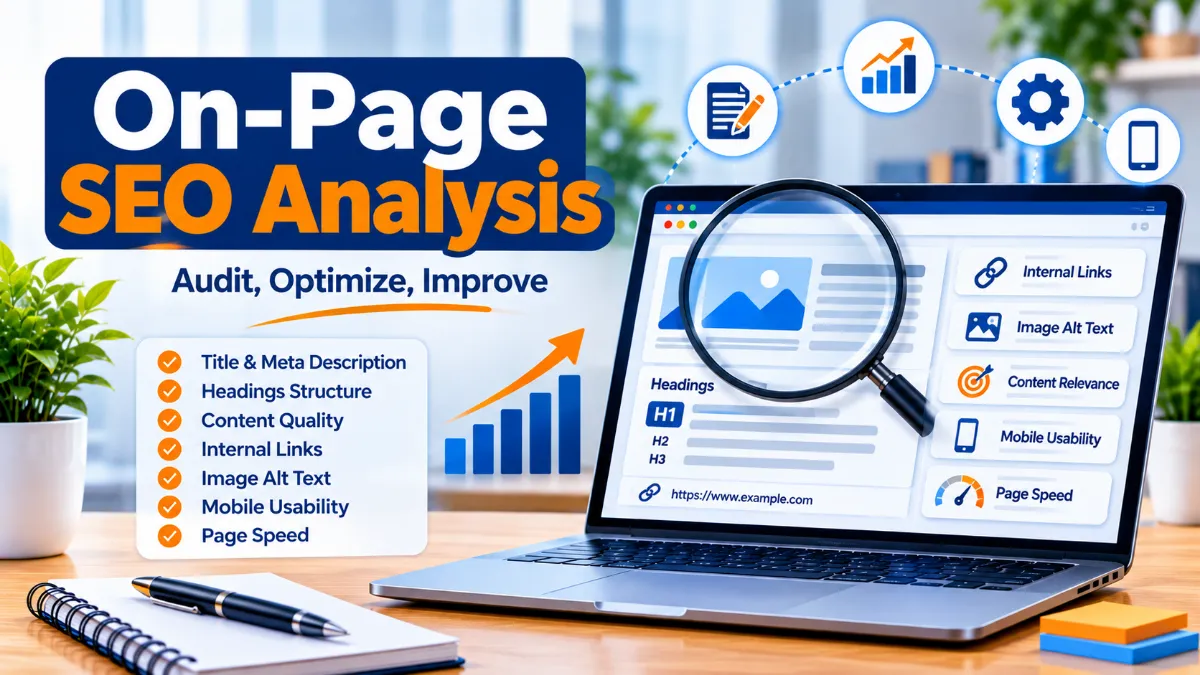
An on-page audit usually examines six connected areas:
- Search intent and relevance: Does the page solve the problem behind the target query?
- Content quality: Is the information accurate, useful, original, complete enough, and clearly presented?
- Page signals: Do the title, main heading, subheadings, URL, and visible copy describe the page consistently?
- Internal discovery: Can visitors and crawlers reach the page through useful, crawlable links?
- Media: Do images and videos support the content and have meaningful context?
- Technical usability: Can the page be crawled, indexed when appropriate, rendered, and used comfortably on different devices?
On-page SEO is one part of a broader SEO strategy. It works alongside technical SEO, site architecture, reputation, and external signals. A page can be perfectly formatted and still struggle if it does not meet demand or compete with stronger results.
Start With the Page’s Search Intent
Before changing a title or rewriting a paragraph, identify what a searcher expects to find. Search intent is the purpose behind a query. A person searching for “on-page SEO checklist” probably wants a practical list. Someone searching “hire on-page SEO services” is closer to choosing a provider.
One keyword can also carry mixed intent. Review the current search results for the target query and note the dominant page types, formats, and questions they address. Treat the results as evidence about what Google currently considers relevant, not as a template to copy.
Classify the dominant intent
| Intent | What the searcher wants | Likely page format |
|---|---|---|
| Informational | Learn, understand, or solve a problem | Guide, tutorial, explainer, checklist |
| Commercial investigation | Compare options before deciding | Comparison, review, buyer’s guide |
| Transactional | Buy, book, subscribe, or take action | Product, service, pricing, booking page |
| Navigational | Reach a specific brand or destination | Brand page, login, contact, location page |
Compare your page with the search results
Search the main query in the target country and, where relevant, on mobile. Examine the top organic pages and record:
- Whether results are guides, product pages, local listings, videos, or category pages.
- The subtopics and questions that appear repeatedly.
- Whether users need a quick answer, a detailed process, a tool, or a purchase path.
- What your page explains better, differently, or not at all.
Do not assume that a longer article is automatically better. If the query calls for a concise service page, adding thousands of words may make the page less useful. Match the depth to the task.
Analyze Content Quality and Topical Coverage
Content is the core of most on-page SEO work. Check whether the main content fulfills the page’s purpose with accurate information, original insight, and practical detail. Google’s guidance emphasizes helpful, reliable, people-first content rather than material created primarily to manipulate rankings.
Check whether the page answers the main question
Read the page as if you had never seen the brand. Can you quickly understand what it offers or explains? Does the opening establish the subject and give readers a reason to continue? Are the most important steps, facts, or product details easy to find?
For a service page, this may mean explaining the service, who it is for, the process, deliverables, proof of experience, pricing factors, and next step. For an educational article, it may mean defining the topic, explaining the process, showing examples, addressing limitations, and answering common follow-up questions.
Look for depth, not repetition
Topical coverage means addressing the important aspects of the subject that help a reader complete their task. It does not mean repeating the target phrase or adding every related keyword you can find. Use a content gap review to identify missing explanations, examples, comparisons, definitions, or decision criteria.
Content quality review
- Does the page provide information that is accurate and specific?
- Does it include original examples, experience, analysis, or useful tools where appropriate?
- Are claims supported by credible sources when evidence is needed?
- Does it explain important terms for beginners without frustrating experienced readers?
- Are outdated details, broken references, and irrelevant sections removed?
- Does the page offer a satisfying next step rather than leaving the reader stuck?
Use keywords naturally
Choose one primary topic for the page and use related language where it helps clarify the subject. Include the main phrase in prominent locations when natural, but do not force exact-match wording into every heading. Google’s language systems can understand related expressions and context, so write for clarity rather than a fixed keyword density.
Review your SEO analysis and keyword research to make sure each important page has a clear role. If several URLs target the same intent, consider whether they should be consolidated, differentiated, or linked as a topic cluster.
Review Titles, Headings, and Search Snippets
Titles and headings help readers understand a page’s subject and help search engines interpret its structure. They also influence how a result may appear in search. Google can generate title links automatically using several sources, so the title tag is important but not an absolute command.
Title tag
Write a unique, descriptive title that accurately summarizes the page. Put the central topic near the beginning when it reads naturally, and add a useful qualifier if it helps distinguish the page. Avoid vague titles, repetitive keyword strings, and promises the content does not fulfill.
There is no universal character limit that guarantees a title will display in full. Google may truncate or rewrite title links depending on the device, query, and available display space. Focus on accuracy and clarity instead of chasing a precise character count.
H1 and heading hierarchy
The visible H1 should clearly identify the page’s main topic. Use H2 headings to divide major sections and H3 headings for supporting points. A logical hierarchy makes long pages easier to scan and helps visitors find the information they need.
Most pages benefit from one clear main heading, but heading count is not a ranking formula. Do not create headings solely to insert keywords. Make each heading a useful signpost for the section that follows.
Meta description
A meta description is a short summary that may be used as the search-result snippet. Google can instead select page text that better matches a user’s query. Write a unique description that accurately summarizes the page and gives a reason to click, but do not treat it as a guaranteed ranking boost.
| Element | What to check | Common improvement |
|---|---|---|
| Title tag | Unique, descriptive, aligned with intent | Replace vague or duplicated titles |
| H1 | Clear visible topic statement | Make the page purpose immediately obvious |
| H2/H3 | Logical section structure | Group related information and remove empty headings |
| Meta description | Accurate and useful summary | Explain the value of the page in natural language |
Check URLs and Internal Links
Use clear, stable URLs
A useful URL is readable and gives people a reasonable idea of the page topic. Keep it concise, use words rather than opaque identifiers where practical, and avoid changing established URLs without a clear reason and a redirect plan. A descriptive URL can help users interpret a result, but changing a URL just to include another keyword is rarely a strong standalone optimization.
Audit internal links
Internal links help visitors move between related pages and help crawlers discover other URLs. Review whether the page receives links from relevant pages, whether its important supporting content is linked, and whether its links use descriptive anchor text.
Use ordinary crawlable links with an actual destination. Anchor text such as “read our technical SEO checklist” gives more context than repeated “click here” links. Avoid forcing exact-match anchors into every link or adding links that do not help the reader.
For a content site, build meaningful connections between a pillar guide and its supporting articles. For example, an on-page SEO guide can link to a guide on search engine optimization tools, a practical Google Keyword Planner tutorial, and a broader SEO strategy guide where those resources genuinely help.
Find orphaned and overlinked pages
An orphan page has few or no meaningful internal links pointing to it. It may still be discovered through a sitemap or external link, but visitors can struggle to find it through normal navigation. At the other extreme, adding dozens of irrelevant links to every page can dilute the usefulness of the navigation.
Use a site crawler to identify pages with no incoming internal links, broken internal destinations, redirect chains, and overly generic anchors. Then add links from the most relevant existing pages.
Audit Images and Other Media
Images, diagrams, screenshots, and videos can make a page easier to understand. They can also create accessibility and performance problems when handled poorly. Check whether each visual adds information or merely decorates the page.
- Descriptive filenames: Use meaningful names where practical instead of leaving camera-generated filenames.
- Alt text: Describe the useful information or function of an image. For decorative images, use empty alt text so assistive technology can skip them.
- Context: Place images near the relevant explanation and add captions when they help clarify the visual.
- File size: Resize images to their display dimensions and use modern formats where supported.
- Responsive delivery: Make sure images fit smaller screens and do not overflow the layout.
- Video: Provide context, accessible controls, and a useful text explanation when the video contains information readers need.
Do not stuff alt text with keywords. Its primary purpose is to communicate the image’s meaning to people who cannot see it. Google’s image SEO guidance also recommends placing high-quality images near relevant text.
Check Page-Level Technical SEO
On-page analysis is not a replacement for a technical SEO audit, but some technical checks directly affect whether an individual page can be accessed and understood.
Indexing and canonical signals
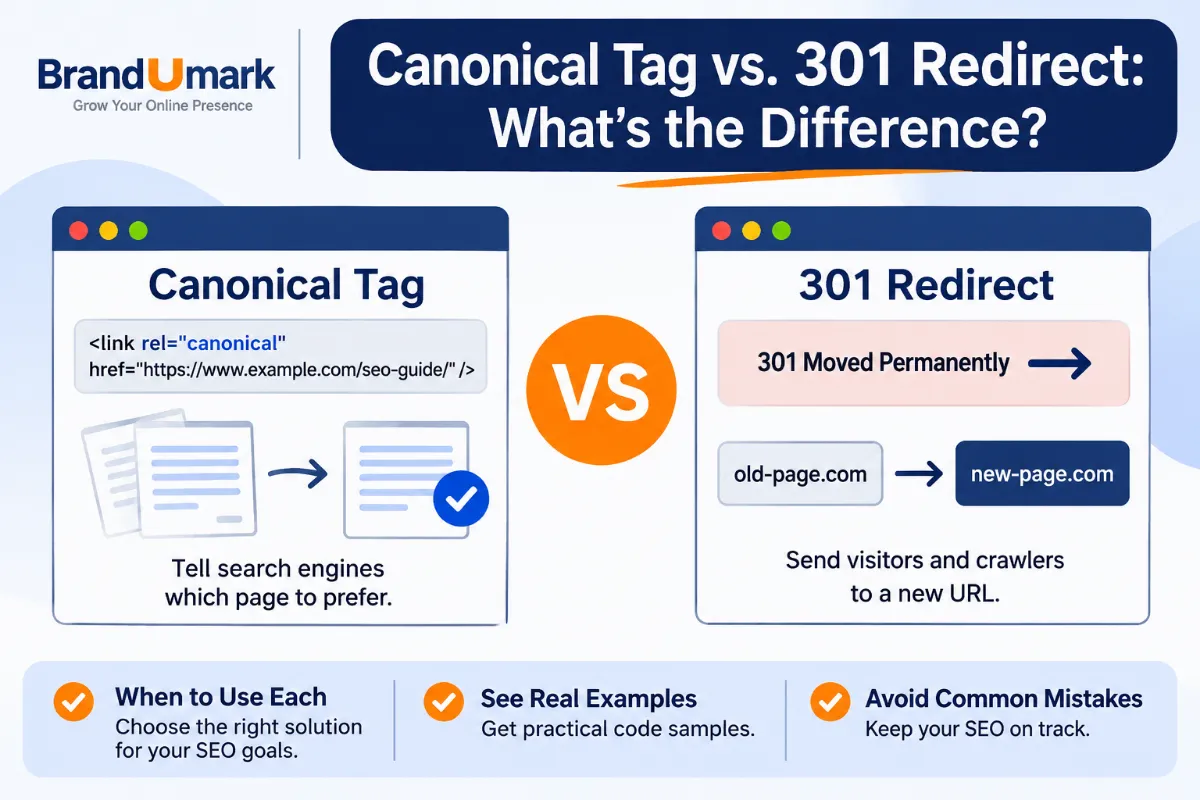
Confirm that a page intended to appear in search is not blocked by an unintended noindex directive, robots rule, or access restriction. Check the canonical URL when duplicate or near-duplicate versions exist. A canonical tag is a signal, not a guarantee, and it should point to the preferred version of genuinely equivalent or closely related content.
Mobile usability and page experience
Open the page on a phone and test the real experience. Text should be readable without pinching, navigation should work, buttons should be usable, and important content should not be hidden behind intrusive overlays. Check Core Web Vitals and loading behavior, especially for pages that depend on large images, scripts, or third-party embeds.
Core Web Vitals measure loading performance, interactivity, and visual stability. They are useful user-experience diagnostics, but passing every metric does not guarantee a top ranking. Do not sacrifice useful content or functionality to chase a perfect lab score.
Structured data
Where relevant, use supported structured data to describe entities and page content accurately. Structured data can make a page eligible for certain rich-result features, but it does not guarantee that Google will show them. Markup must match visible page content and follow the requirements for the relevant feature.
Rendering and accessibility basics
Check that the main content and important links are available in the rendered page, not dependent on a broken script or interaction that crawlers and users cannot access. Use semantic HTML, descriptive link text, form labels, and sufficient contrast. Accessibility improvements often make the page easier for everyone to use.
Tools for On-Page SEO Analysis
You do not need a large paid tool stack to conduct a useful page audit. Start with first-party data and add a crawler or specialist tool when the site size or task justifies it.
| Tool | Best use | What to inspect |
|---|---|---|
| Google Search Console | Search performance and indexing diagnostics | Queries, clicks, impressions, CTR, average position, URL inspection, indexing status |
| Google Analytics | On-site behavior and conversions | Landing-page engagement, key events, leads, purchases, and traffic quality |
| PageSpeed Insights | Page performance diagnostics | Core Web Vitals field data where available and lab opportunities |
| Google SEO Starter Guide | Best-practice reference | Content, links, URLs, images, and search appearance guidance |
| Screaming Frog SEO Spider | Page-level crawling | Titles, descriptions, headings, status codes, canonicals, images, and internal links |
| Ahrefs Free SEO Tools | Supplementary keyword and backlink research | Topic opportunities and external link context, subject to tool limits |
Use Search Console to understand how Google Search is already interacting with a URL. Use Analytics to assess whether the visits contribute to business goals. A page may attract clicks but fail to generate leads, or convert well despite modest traffic. Those are different problems and need different responses.
For a broader tool selection, see BrandUmark’s guide to SEO marketing tools and its comparison of SEO audit tools.
A Repeatable On-Page SEO Audit Workflow
A consistent workflow makes audits easier to repeat and compare. The sequence below works for a single landing page or a batch of important URLs.
A practical sequence for analyzing an individual page. The steps are a working framework, not a Google ranking formula.
Step 1: Record the baseline
Save the page URL, target query or topic, current title and H1, index status, organic clicks, impressions, CTR, average position, and relevant conversions. Use a consistent date range and note seasonal or promotional factors that may affect the numbers.
Step 2: Review the live page
Read and use the page on desktop and mobile. Check whether the content matches intent, the main answer is easy to find, links work, images load, and calls to action are clear. Compare the page with the current search results without copying competitors.
Step 3: Inspect page elements and technical signals
Check the title, headings, description, URL, internal links, image alt text, canonical, robots directives, structured data where relevant, and page performance. Use URL Inspection in Search Console when you need to investigate Google’s view of the URL.
Step 4: Write specific recommendations
A useful audit finding explains the issue, evidence, recommended change, expected benefit, and owner. “Improve content” is not actionable. “Add a worked example showing how to calculate the service cost because the page currently defines the service but does not help visitors estimate it” is much clearer.
Step 5: Implement, recrawl, and monitor
Make changes in manageable groups and record the date. Request indexing only when appropriate; it does not guarantee faster crawling or improved rankings. Monitor the URL after Google has had time to recrawl and reprocess it. Compare the same query set and conversion events where possible.
Prioritize Fixes and Measure Results
Not every audit issue deserves immediate attention. Prioritize by the likely impact on users and search performance, the confidence in your diagnosis, and the effort required. This prevents teams from spending hours adjusting low-value details while major content or access problems remain.
| Priority | Typical issue | Recommended response |
|---|---|---|
| High | Wrong page intent, missing core information, accidental noindex, broken canonical, inaccessible main content | Investigate and fix first |
| Medium | Weak title, unclear headings, missing internal links, outdated examples, large images | Schedule targeted improvements |
| Low | Minor wording changes, cosmetic formatting, marginal keyword variations | Bundle with other edits or leave unchanged |
Measure outcomes that matter
Track several indicators rather than judging success by one ranking position:
- Search visibility: impressions and the queries for which the page appears.
- Organic visits: clicks and qualified landing-page sessions.
- Search-result response: click-through rate, interpreted alongside position and query mix.
- Business outcomes: enquiries, purchases, sign-ups, bookings, or another relevant conversion.
- Technical health: indexability, crawl errors, mobile usability, and performance trends.
Use a suitable comparison period and account for seasonality, algorithm updates, changes to the search results page, and sitewide changes. If several things changed at once, it may be difficult to attribute a movement to one edit.
Common On-Page SEO Mistakes to Avoid
- Optimizing before understanding intent: A well-written page can underperform if it is the wrong format for the query.
- Stuffing keywords: Repeating a phrase unnaturally harms readability and does not create useful relevance.
- Writing for a word count: Add detail only when it helps the visitor complete their task.
- Duplicating titles and descriptions: Important pages should have distinct summaries that reflect their actual content.
- Changing URLs without a plan: Unnecessary URL changes can break links and create redirect or canonical confusion.
- Ignoring internal links: Great content can remain hard to discover when no relevant pages link to it.
- Adding meaningless alt text: Alt text should describe an image’s purpose, not serve as a hidden keyword field.
- Chasing perfect tool scores: Automated checks identify opportunities, but they cannot judge every aspect of usefulness or business value.
- Expecting instant rankings: Search engines need to recrawl and reassess changes, and rankings depend on many factors beyond one page.
Frequently Asked Questions About On-Page SEO Analysis
1. What is on-page SEO analysis?
On-page SEO analysis is a review of the content and page-level elements that help search engines and visitors understand a webpage. It commonly covers search intent, content quality, titles, headings, URLs, internal links, images, indexability, and page experience.
2. How often should I perform an on-page SEO audit?
Review important pages after major changes and on a regular schedule based on how quickly the topic, products, or business information changes. High-value landing pages may need more frequent checks than stable reference pages. Also revisit pages when Search Console data shows a meaningful change.
3. Is the title tag a direct Google ranking factor?
The title helps Google understand and represent a page, and it can influence the title link shown in results. Google generates title links automatically from several sources, so a title tag is not a guarantee of a particular displayed title or ranking position.
4. Does the meta description improve rankings?
A meta description is primarily a summary that may appear as the search-result snippet. Google can choose other page text instead, and the description should not be treated as a direct ranking boost. A clear, accurate summary can still help searchers decide whether to visit.
5. How many keywords should I use on one page?
There is no fixed keyword count or ideal density. Focus on one clear page topic and naturally cover the related concepts, questions, and terms that help readers understand it. Avoid adding variations when they make the writing repetitive.
6. Which tool is best for on-page SEO analysis?
No single tool covers every part of the audit. Google Search Console is useful for search performance and indexing, PageSpeed Insights helps diagnose performance, and a crawler can inspect titles, headings, links, and technical page elements at scale. Combine tool data with a manual review of the page.
7. How long does on-page SEO take to show results?
There is no guaranteed timeline. Google needs to recrawl and reprocess a changed page, and the impact depends on the type of change, competition, query demand, and other ranking systems. Allow time to collect meaningful data rather than judging a change after only a few days.
8. Can on-page SEO alone get a website to the top of Google?
Strong on-page work can improve relevance, clarity, and accessibility, but it cannot guarantee a top position. Competition, site quality, reputation, links, technical conditions, and the specific query all matter. Treat on-page SEO as one essential part of a wider search strategy.
Conclusion: Turn Your Audit Into Action
On-page SEO analysis works best when it starts with the visitor’s goal and ends with measurable improvements. Review the page as a complete experience, not a collection of isolated tags. Make sure the content answers the right question, the structure is clear, links and media add value, and technical settings do not block access.
Use this short action plan to get started:
- Choose one priority URL. Record its target query, search intent, baseline performance, and business purpose.
- Review the complete page. Assess content, titles, headings, links, images, mobile usability, and technical access.
- Prioritize three to five meaningful fixes. Start with issues that prevent the page from satisfying intent or being accessed.
- Implement and document changes. Record what changed and when, then allow search engines time to process the page.
- Measure search and business outcomes. Compare impressions, clicks, qualified visits, and conversions to decide what to improve next.
A disciplined audit process helps you make better decisions, protect pages that already perform well, and invest effort where it can improve the experience for both visitors and search engines.