Two websites can publish pages about the same topic and receive very different search visibility. One may answer the query clearly, earn relevant links, and load smoothly on a phone. The other may repeat keywords without giving visitors a reason to trust or use the information.
Understanding how Google ranks websites helps you make better decisions than chasing isolated SEO tricks. This guide explains how Google discovers and evaluates pages, which ranking signals matter, why results vary between searches, and what you can improve on your own site.
Table of Contents
- How Google Search works before ranking
- How Google ranks websites for a search query
- The major factors that influence Google rankings
- Search intent and content relevance
- Backlinks, internal links, and PageRank
- Technical SEO and page experience
- Why rankings differ by location and device
- How to improve your website’s Google rankings
- How to measure ranking performance
- Common Google ranking mistakes
- Conclusion: build for the searcher first
- Frequently asked questions
How Google Search works before ranking
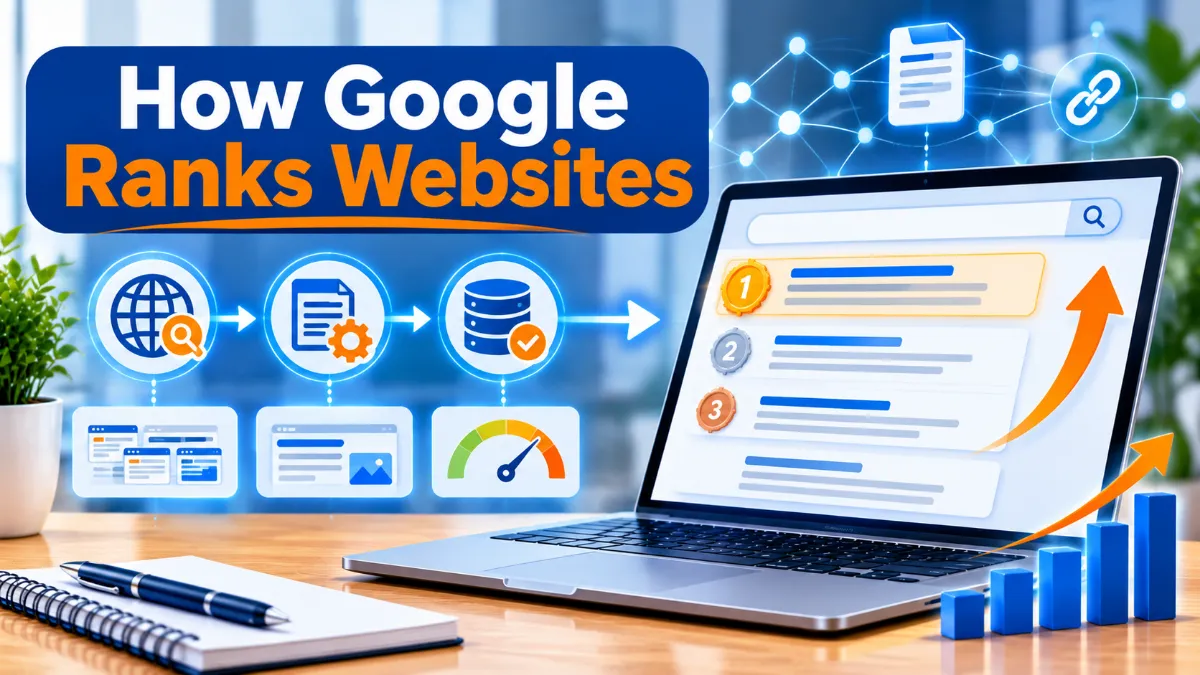
Google does not review every website manually each time someone searches. It uses automated systems and a large search index. Before a page can appear in ordinary organic results, it generally passes through three stages: crawling, indexing, and serving search results.
The simplified journey from discovering a URL to showing a result. Not every discovered page is indexed or shown.
1. Crawling: Google discovers pages
Google uses automated programs called crawlers, including Googlebot, to find publicly accessible URLs and fetch their content. Crawlers can discover pages through links from other pages, XML sitemaps, and previously known URLs. They may revisit pages to check for changes, but crawl frequency is not a ranking reward.
Make important pages easy to discover. Use descriptive internal links, submit an accurate XML sitemap when appropriate, and avoid accidentally blocking valuable content with robots.txt rules or access restrictions. A sitemap can help Google discover URLs, but it does not guarantee indexing.
2. Indexing: Google processes the page
After crawling, Google may render and analyze the page. It tries to understand the text, images, video, page topic, language, canonical version, and other information. If Google decides a page is suitable for its index, it can store information about it for possible use in Search.
Indexing is not automatic for every URL. Duplicate pages, thin or low-value content, technical directives, rendering problems, and access errors can all affect whether a page is indexed. Use the URL Inspection tool in Google Search Console to check an individual URL’s indexing status and inspect Google’s reported version.
3. Serving: Google selects results for a query
When someone searches, Google’s systems look through its index for pages that may satisfy the query. They then use many signals and ranking systems to determine which results are most relevant and useful in that context. This happens in a fraction of a second.
How Google ranks websites for a search query
Google does not assign every website one permanent score and sort the entire internet from best to worst. It evaluates pages in relation to a particular search. A page that is highly relevant for one query may be a poor match for another, even if both searches use similar words.
Step 1: Understand what the searcher means
Google interprets the words and context of a query to estimate the searcher’s intent. It can recognize related concepts, spelling variations, entities, and whether the person likely wants information, a product, a local service, or a specific website.
For example, “best running shoes” suggests a comparison or buying journey. “How to clean running shoes” calls for instructions. A product category page may suit the first query, while a practical guide may suit the second.
Step 2: Find pages that are relevant
Google compares the query with information it understands about indexed pages. Exact words can help, especially in prominent places such as the title and main heading, but matching keywords alone is not enough. Systems such as neural matching and RankBrain help Google connect language and concepts even when a page does not repeat the exact query.
Step 3: Assess usefulness and quality
Among relevant pages, Google’s systems aim to surface content that is helpful and reliable. They use multiple systems and signals to understand quality, originality, expertise, and trust. The precise combination depends on the query and the type of information being sought.
Step 4: Consider usability and context
Google can consider page experience, the searcher’s location, language, device, settings, and the freshness needed for the query. A search for a nearby plumber needs local relevance. A search about a breaking event needs current information. A definition may remain useful for years.
Step 5: Build the results page
The final search page may include standard web listings, local results, images, videos, featured snippets, shopping features, or other result formats. Which features appear depends on what Google believes will help answer the query. Organic ranking is therefore not always just a list of ten blue links.
The major factors that influence Google rankings
Google uses many systems rather than a public checklist with fixed weights. The following areas are useful for planning SEO because they align with the kinds of information Google’s documentation says its systems evaluate. They are not a formula in which every item contributes an equal number of points.
| Area | What Google needs to understand | Practical SEO work |
|---|---|---|
| Relevance | Whether the page answers the query and matches its intent | Research queries, create focused pages, use descriptive titles and headings |
| Content quality | Whether information is useful, reliable, original, and complete enough | Add first-hand insight, examples, accurate details, and clear authorship |
| Links and prominence | How pages connect and whether other relevant pages reference them | Earn editorial links and build logical internal links |
| Freshness | Whether the query calls for recent information | Review time-sensitive pages and update meaningful changes |
| Page experience | Whether the page is accessible and usable | Improve mobile layout, Core Web Vitals, security, and navigation |
| Context | Whether the result fits location, language, device, and query context | Use accurate local information and serve the right audience |
Relevance to the search query
A page needs to address the subject behind the search. Use the language customers use, but do not force the same phrase into every paragraph. Include related questions, important subtopics, and useful terminology when they genuinely help explain the subject.
Helpful, reliable content
Useful content solves the reader’s problem without making them search again for basic missing details. It should be accurate, understandable, and appropriate to its purpose. Original research, real product testing, practical examples, and clear explanations can make a page more valuable than a rewritten summary of competing articles.
Google describes experience, expertise, authoritativeness, and trustworthiness as concepts that help assess content quality. E-E-A-T is not a single ranking factor or a score that publishers can add to a page. Treat it as a quality framework: show who created the content, explain relevant experience, cite dependable evidence, and correct errors.
Originality and information gain
Publishing another page that repeats the same generic advice adds little value. Bring something useful that is missing from the existing results: a worked example, original data, a decision framework, a clear comparison, screenshots from a real process, or an explanation of a difficult issue.
Freshness when it matters
Freshness matters more for topics where facts change quickly, such as software pricing, current events, regulations, and product availability. It matters less for stable topics such as basic mathematical definitions. Updating a date without improving the content does not make an old page genuinely more useful.
Search intent and content relevance
Search intent is the reason behind a query. If your page format does not match that reason, even well-written content may struggle to compete. Before creating a page, inspect the results for the target query and identify what Google is already showing.
| Intent type | Example query | Likely useful page |
|---|---|---|
| Informational | How does Google rank websites? | Detailed educational guide |
| Commercial investigation | Best SEO tools for small businesses | Comparison with criteria and trade-offs |
| Transactional | Hire an SEO consultant | Service page with process, proof, and contact path |
| Navigational | Google Search Console login | Official destination or clearly identified brand page |
| Local | SEO agency near me | Relevant local service pages and business information |
For a small business, this can mean creating separate pages for distinct needs rather than trying to make one page rank for every related phrase. A bakery, for example, may need a product page for custom birthday cakes, a guide explaining cake sizes, and a local page that clearly states its service area and opening hours.
Backlinks, internal links, and PageRank
Links help search engines discover pages and understand relationships between them. Google’s ranking systems include link analysis systems, including PageRank, which has evolved significantly since the early days of Google.
Backlinks can signal prominence
A backlink is a link from another website to yours. A relevant editorial link can help Google understand that other publishers reference your content. A link from a respected industry publication may be more meaningful than dozens of unrelated links placed on low-quality pages.
Focus on earning links through useful assets: original research, strong guides, tools, expert commentary, and resources other publishers genuinely want to cite. Avoid buying manipulative links, automated link schemes, and mass-produced guest posts designed mainly to influence rankings.
Internal links help organize your website
Internal links connect pages on your own site. They help visitors find related information and help crawlers discover important URLs. They also provide context through descriptive anchor text.
For example, an article about ranking factors can link naturally to a deeper SEO strategy guide, a practical SEO analysis process, and a relevant guide to search engine optimization strategies. Make sure links genuinely help readers rather than adding them just to reach a target count.
Do not confuse link quantity with link quality
There is no safe universal number of backlinks that guarantees a position. Competitor link counts from third-party tools are estimates, not Google’s own ranking data. Evaluate relevance, editorial context, and whether a link would make sense to a human reader.
Technical SEO and page experience
Technical SEO helps Google access and interpret your content. It also helps people use your website. A technically sound site does not automatically outrank a more relevant competitor, but technical problems can prevent valuable pages from being discovered, indexed, or used effectively.
Make important pages crawlable and indexable
Check that important pages return a successful HTTP response, are not blocked unintentionally, and do not carry a noindex directive. Use canonical tags consistently where duplicate or similar URLs exist. Keep navigation links crawlable and maintain a useful XML sitemap.
Tools such as a robots.txt generator and XML sitemap generator can help with setup, but always review generated output before publishing it.
Improve mobile usability and Core Web Vitals
Most websites need to work well on phones as well as desktops. Text should be readable, navigation should be usable with touch, and important content should not be hidden behind intrusive elements. Google also uses Core Web Vitals as part of its page experience considerations.
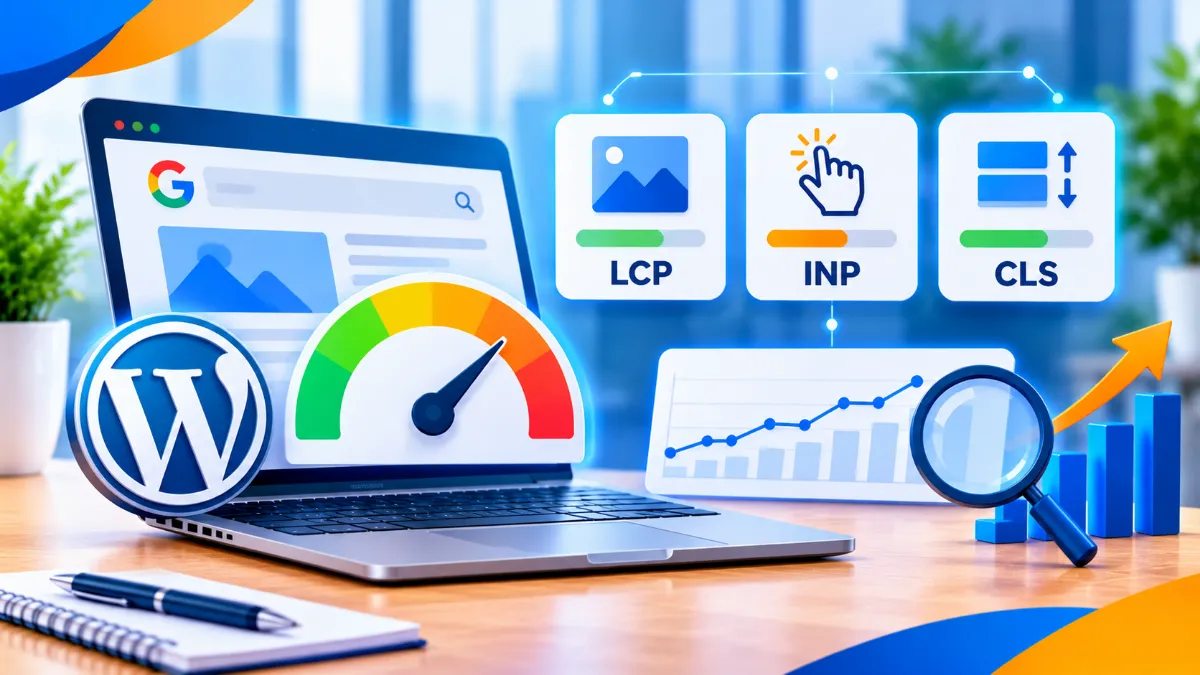
The current Core Web Vitals focus on loading performance (Largest Contentful Paint), interactivity (Interaction to Next Paint), and visual stability (Cumulative Layout Shift). Use PageSpeed Insights to review field and lab data where available. Good scores are useful diagnostics, not a guarantee of top rankings.
Use HTTPS and a clear page structure
Serve pages securely over HTTPS, use descriptive titles and headings, and make the main content easy to identify. Structured data can help Google understand eligible content and may make a page eligible for certain search appearances. It does not guarantee a rich result or higher position.
Why rankings differ by location and device
Google results are not identical for every person. Location, language, device, query wording, and other context can change which pages are most useful. Search results can also vary as Google’s systems and index change.
Consider the query “best coffee shop.” A searcher in Toronto needs nearby options in Toronto, while someone in Sydney needs businesses in Sydney. A search for “football rules” may also need different interpretation depending on the country and context.
Local businesses should keep their business name, address, phone number, opening hours, service areas, and website information accurate. Create genuinely useful location pages only where you serve those places. Do not publish dozens of near-identical city pages with only the place name changed.
When monitoring rankings, compare like with like. Track the same query, country, language, device, and location settings over time. A position seen from your office is not necessarily the position every potential customer sees.
How to improve your website’s Google rankings
There is no guaranteed shortcut. The most effective SEO plan starts with the pages that matter to the business, identifies why they are not meeting searchers’ needs, and improves them in a measurable order.
1. Choose a clear search topic for each important page
Use customer questions, Search Console data, keyword research, and competitor result analysis to identify realistic queries. Map each main topic to the page that best satisfies it. Avoid creating multiple pages that compete for the same intent unless there is a clear reason to separate them.
2. Improve the content before adding more content
Review pages that already receive impressions but few clicks, or that rank on page two for relevant terms. Check whether the page answers the query quickly, explains important subtopics, provides evidence, and gives the reader a useful next step. Add original value instead of padding the word count.
3. Strengthen internal linking
Find important pages that are difficult to reach from your navigation or other content. Link to them from relevant articles and category pages using natural anchor text. Also link outward from those pages to useful supporting resources so readers can continue their research.
4. Resolve technical blockers
Use Search Console to check indexing, sitemap processing, manual actions, security issues, and Core Web Vitals. Inspect priority URLs individually when they are unexpectedly absent from Search. Fix broken internal links, redirect chains, accidental noindex tags, and canonical conflicts where they affect important pages.
5. Build genuine authority in your subject area
Publish consistently useful material within a focused subject area. Demonstrate real experience, identify authors where appropriate, cite reliable primary sources, and earn mentions through useful contributions. A site does not need to cover every topic. A smaller set of strong resources can serve a clearer audience than a large collection of unrelated posts.
6. Improve the experience after the click
Make it easy to read, navigate, compare, and take the next step. Remove intrusive pop-ups, reduce unnecessary scripts, compress oversized images, and make forms work on mobile. Better usability supports visitors even when it does not directly change a particular ranking.
A practical 30-day improvement plan
- Week 1: Select five important pages. Check their indexing status, target queries, search intent, and current Search Console performance.
- Week 2: Improve the two pages with the clearest relevance or content gaps. Add original examples, clarify titles, and answer missing questions.
- Week 3: Fix technical issues affecting those pages. Improve internal links and test mobile usability and loading performance.
- Week 4: Review impressions, clicks, queries, conversions, and indexing. Record changes and set the next priorities based on evidence.
For a broader plan, connect these tasks to a documented search engine optimization guide and choose the right SEO marketing tools for your team’s workflow.
How to measure ranking performance
Rankings are useful, but they are not the whole result. A page can move up for a keyword and still bring little business value if the query is irrelevant or the page does not convert. Measure visibility alongside traffic and outcomes.
| Metric | Where to review it | What it tells you |
|---|---|---|
| Impressions and clicks | Google Search Console | How often pages appear and how often searchers visit |
| Average position | Google Search Console | An aggregated position metric across queries and contexts |
| Organic sessions | Google Analytics | Visits attributed to organic search under your analytics setup |
| Leads and sales | Analytics or CRM | Whether organic visits contribute to business outcomes |
| Indexing and page experience | Google Search Console | Technical conditions that may need investigation |
In Search Console, examine performance by page, query, country, and device. A rise in impressions with stable clicks may mean your page is appearing for more searches, but its title, snippet, or average position may not be compelling enough to earn more visits. A drop in clicks should be investigated by comparing dates, affected pages, query groups, and search appearance types.
Use Google Analytics to understand what visitors do after arriving. Configure meaningful conversion events, such as purchases, qualified form submissions, or calls, rather than treating every page view as a business result.
Common Google ranking mistakes
- Expecting instant results: Google needs to discover and process changes, and competitors are improving too. Give meaningful work time and monitor trends.
- Writing for a keyword instead of a person: Repeating a phrase does not make a page useful. Answer the real question in natural language.
- Assuming indexing guarantees rankings: Inclusion in the index only makes a page eligible to appear. Relevance and competition still matter.
- Buying low-quality backlinks: Manipulative link schemes can violate Google’s spam policies and put visibility at risk.
- Publishing near-duplicate pages: Multiple pages with almost identical intent can confuse site structure and create unnecessary maintenance.
- Refreshing dates without updating facts: A new timestamp does not replace meaningful improvements.
- Obsessing over one keyword position: Search results vary. Track query groups, traffic quality, conversions, and the pages that support business goals.
- Ignoring technical issues: Great content cannot help much if Google cannot access or understand the page.
- Believing in a secret ranking score: No third-party SEO metric is Google’s own ranking score. Use tools to diagnose opportunities, not to imitate an unknown formula.
Review Google’s Search Essentials and spam policies before adopting tactics that promise easy ranking gains. Practices designed to manipulate search systems can undermine long-term performance.
Conclusion: build for the searcher first
Knowing how Google ranks websites makes SEO more practical. Google discovers pages, processes them into its index, and then uses automated systems to match relevant results to each search. Those systems consider many signals, including query meaning, content quality, links, usability, freshness, and context.
You cannot control Google’s algorithms, but you can control the quality of your pages and the experience your website provides. Start with a focused plan:
- Check discoverability. Make sure your priority pages can be crawled and indexed, and inspect important URLs in Search Console.
- Match intent. Make each page the clearest, most useful answer for the searches it targets.
- Build trust and relevance. Add original insight, accurate information, helpful internal links, and earn relevant references.
- Improve usability. Make pages fast enough, secure, mobile-friendly, and easy to navigate.
- Measure outcomes. Track impressions, clicks, qualified traffic, leads, and sales, then prioritize the next improvements.
Strong rankings are usually the result of many connected improvements, not one trick. Keep solving real searcher problems, measure what changes, and refine your site as customer needs and search results evolve.
Frequently asked questions
1. How does Google decide which website ranks first?
Google uses automated systems to compare pages that may answer a query. It considers relevance, usefulness, quality, links, usability, freshness, and context, with different signals mattering for different searches. There is no universal formula that guarantees the first position.
2. What is the most important Google ranking factor?
There is no single factor that is most important for every query. A page must be relevant and useful, while links, technical accessibility, page experience, and context can also influence visibility. Focus on the combination that best serves the searcher’s need.
3. How long does it take for Google to rank a new website?
There is no fixed timeline. Google must discover and crawl pages, decide whether to index them, and evaluate them for relevant searches. Competition, site quality, content, links, and technical accessibility all affect how quickly visibility develops.
4. Does Google use backlinks to rank websites?
Yes. Google’s link analysis systems, including PageRank, help it understand how pages relate to one another and which pages may be useful or prominent. Relevant, editorially earned links are preferable to manipulative link schemes or bulk low-quality links.
5. Does website speed affect Google rankings?
Page experience matters, and Core Web Vitals are used by Google’s ranking systems. However, a fast website is not automatically the top result. Relevance and usefulness remain essential, so improve performance alongside content quality and technical health.
6. Does Google rank every page on a website equally?
No. Google’s systems generally work at the page level, while some site-wide signals and classifiers also contribute to understanding a site. One strong page does not guarantee that every page on the same domain will rank well.
7. Why do Google rankings change from one location to another?
Google considers context such as location, language, device, and the meaning of the query. A local service search should show useful nearby options, so people in different cities can see different results for the same words.
8. Can I pay Google to rank my website higher in organic results?
No. Google does not accept payment to crawl a site more frequently or rank organic pages higher. Paid search ads are separate from organic results and are identified as advertising.