SEO tools can save hours of research, reveal technical problems, and help marketers make better decisions. But collecting too many subscriptions often creates a different problem: overlapping reports, confusing metrics, and dashboards nobody checks.
The most effective SEO toolkit is built around tasks. You need reliable data about your own website, a way to research what people search for, tools to diagnose issues, and a method to connect organic traffic with business outcomes.
This guide covers the SEO tools every marketer should know, what each one is best at, which options are free or paid, and how to build a practical stack without wasting budget.
Table of Contents
How to Choose SEO Tools
Before choosing software, define the decisions you need to make. A tool is valuable when it helps you answer a question or complete a task more accurately or efficiently.
Choose tools by job
- Measure: What searches bring people to my website, and what happens after they arrive?
- Research: What topics and queries are relevant to my audience?
- Audit: Can search engines crawl, render, and index important pages?
- Improve: Does the page satisfy search intent and help the visitor?
- Report: Which SEO activities contribute to leads, sales, or other goals?
Consider three criteria: data source, workflow fit, and total cost. First-party Google tools show performance data for your verified property. Third-party platforms estimate search volume, ranking difficulty, backlinks, and competitor visibility. Those estimates are useful for research, but they are not Google’s internal ranking data.
Check limits before purchasing. Free plans may cap crawl size, keyword reports, projects, or historical data. Paid tools often overlap, so you may only need one broad SEO suite plus a few specialist tools.
Essential SEO Tools Every Marketer Should Use
1. Google Search Console: First-party search performance
Google Search Console should be the first tool most website owners set up. It reports how your site appears in Google Search, including clicks, impressions, queries, pages, and average position. It also helps identify indexing and other search-related issues.
Use the Performance report to find pages that receive impressions but relatively few clicks, queries where your site is gaining visibility, and pages whose search traffic has changed. Review indexing reports and inspect important URLs after publishing or updating content.
Search Console is free, but it does not provide a complete competitor keyword database or a full technical crawl. Pair it with a crawler or third-party research tool when needed. Google’s Search Console guide explains verification and reporting basics.
2. Google Analytics 4: Understand what visitors do
Google Analytics helps you understand what happens after visitors arrive. Marketers can review organic landing pages, engagement, events, and conversions such as purchases, form submissions, or newsletter signups when those events are configured correctly.
Use GA4 to answer questions like: Which organic landing pages attract qualified visitors? Which pages lead to enquiries? Is traffic growing while conversions remain flat? Those answers help you prioritize pages based on business value rather than traffic alone.
Search Console clicks and Analytics sessions will not match exactly because the tools measure different events and use different systems. Compare trends and investigate large discrepancies instead of expecting identical totals. Google explains this in its guide to using Search Console and Analytics together.
3. Google Keyword Planner: Discover keyword ideas
Keyword Planner is useful for discovering related search terms and understanding advertising demand. It can help marketers build an initial keyword list, compare themes, and explore geographic or language settings for campaigns.
Its search-volume figures are designed for Google Ads planning and may be presented in ranges depending on account activity. Treat them as directional inputs, not exact organic traffic forecasts. Combine the data with actual queries in Search Console and manual search-result analysis.
4. Google Trends: Understand changing interest
Google Trends helps compare the relative popularity of topics over time and across regions. It is useful for seasonal businesses, news-driven content, and deciding whether a topic is gaining or losing interest.
Trends uses normalized interest rather than absolute monthly search volume. A value of 100 represents peak interest within the selected comparison, not 100 searches. Use it to compare patterns, then validate topics with keyword research and search results.
5. Google PageSpeed Insights: Diagnose page experience
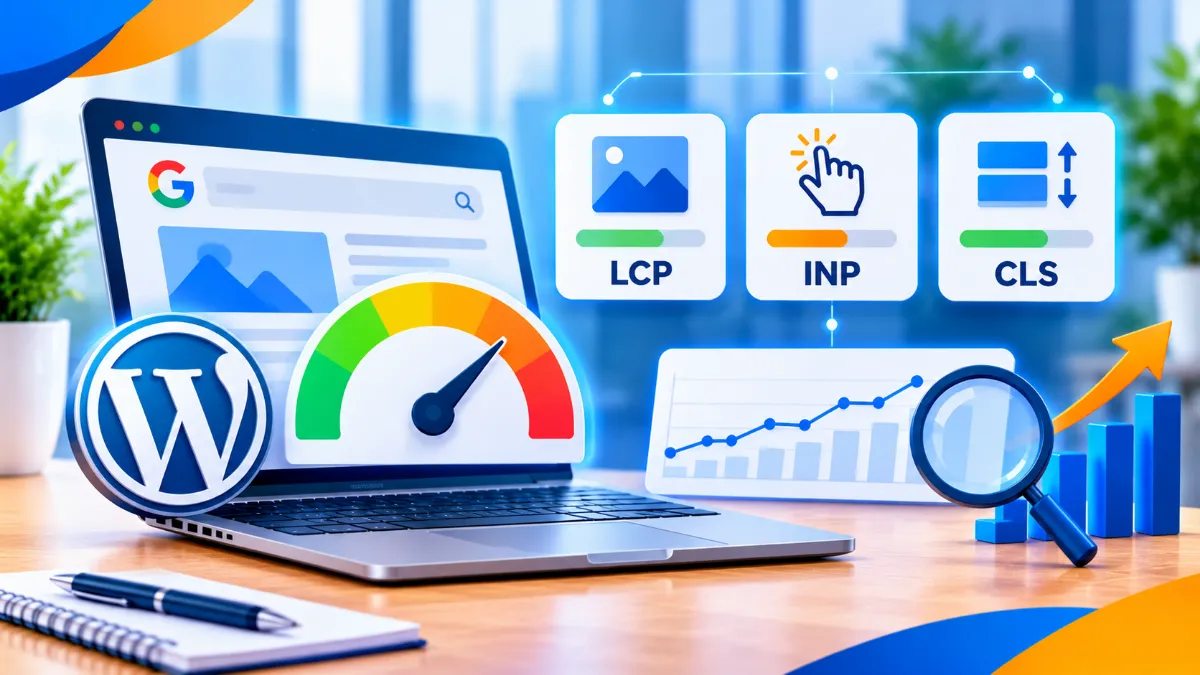
PageSpeed Insights evaluates a URL using performance diagnostics and, when available, real-user field data. It helps identify slow resources, layout shifts, and other performance opportunities.
Prioritize issues that affect important landing pages and actual user experience. A performance score is a diagnostic indicator, not a ranking guarantee. Review the underlying metrics and recommendations rather than trying to achieve a perfect score on every page.
| Tool | Primary job | Cost |
|---|---|---|
| Google Search Console | Search visibility, queries, indexing | Free |
| Google Analytics 4 | Traffic behavior and conversions | Free standard version |
| Google Keyword Planner | Keyword ideas and ad demand | Free with Google Ads access |
| Google Trends | Topic and seasonal interest | Free |
| PageSpeed Insights | Performance diagnostics | Free |
Keyword Research and Competitor Tools
Keyword research is not simply finding phrases with high search volume. Marketers need to understand why someone searches, what format the results favor, and whether the topic fits the site’s expertise and business goals.
6. Semrush: Broad SEO research and campaign management
Semrush is an all-in-one SEO platform commonly used for keyword research, competitor analysis, rank tracking, site audits, and backlink research. It can be useful when a marketer needs several research workflows in one interface or manages multiple campaigns.
Its strengths are breadth and workflow integration. The trade-off is cost and the learning curve. Before subscribing, list the reports you will use regularly and confirm that your plan includes the projects, tracking frequency, and data limits you need.
7. Ahrefs: Backlinks and competitor research
Ahrefs is well known for backlink analysis, competitor research, keyword discovery, and content opportunity analysis. Use it to investigate which pages attract links, identify relevant competing pages, and find topics where competing sites receive organic traffic.
Third-party keyword and traffic figures are estimates. Use them to compare opportunities and generate hypotheses, then validate performance with your own Search Console and Analytics data. Ahrefs also provides free SEO tools for selected research tasks.
8. Moz: Keyword and link research
Moz offers keyword research, link analysis, and site auditing features. It can suit marketers who want a focused SEO suite and prefer a straightforward research workflow. Compare its database coverage, reporting limits, and plan features against your actual use cases before choosing it over another platform.
9. Question-based research tools
Question research tools can uncover the questions people ask around a topic. They are useful for FAQ planning, supporting articles, and identifying concerns that may not appear in a basic keyword list.
Use the output as a starting point. Validate each question against search results, customer conversations, sales enquiries, and the relevance of the topic to your audience. A large list of questions is not automatically a content strategy.
10. Manual Google search: Check the actual results
Search your target phrase and inspect the results directly. Look at the page types ranking, the intent they satisfy, featured result formats, and the questions searchers may still have.
This step matters because keyword tools cannot fully explain the context of a search. If the results are mostly product category pages, a general informational article may not match the intent. If the results are tutorials, a sales page may struggle to satisfy the query.
For a more complete research process, use BrandUmark’s guide to Google Keyword Planner for SEO and its overview of search engine optimization tools.
Technical SEO and Website Audit Tools
11. Screaming Frog SEO Spider: Crawl your website
Screaming Frog SEO Spider crawls websites and collects technical and on-page information such as status codes, titles, meta descriptions, headings, canonicals, directives, and internal links. It is useful for finding patterns across many URLs.
Use it to identify broken links, redirect chains, duplicate or missing metadata, and pages that need an indexability review. The free version has a crawl limit, while larger sites and advanced features may require a license.
12. Google Lighthouse: A quick page-level audit
Lighthouse is available through Chrome DevTools and other Google developer workflows. It audits performance, accessibility, best practices, and SEO checks for an individual page. It is useful for quick diagnostics during development or when reviewing a key landing page.
Lighthouse is not a full-site crawler and its lab results can differ from real-user field data. Use it alongside PageSpeed Insights and a crawl, not as a replacement for either.
13. Rich Results Test and schema validation
Google’s Rich Results Test checks whether supported structured data on a page is eligible for particular rich result features. A separate schema validator can help inspect schema vocabulary more broadly.
Structured data should describe visible, accurate page content. Valid markup does not guarantee a rich result, and it should never be used to add claims that users cannot see or verify.
14. Bing Webmaster Tools
Bing Webmaster Tools provides search performance and site diagnostics for Bing. It can help marketers monitor another major search engine, review crawl information, and discover opportunities outside Google.
For sites targeting international audiences, it is sensible to maintain access to more than one search engine’s webmaster platform. The exact value depends on the audience and the amount of traffic Bing sends to the site.
Content Optimization Tools
Content tools can help organize research, review page structure, and identify gaps. They should support editorial judgment, not replace it. The goal is a useful page that answers the reader’s question, not a page that copies every term found in competing articles.
15. Surfer: On-page content analysis
Surfer provides content analysis and optimization workflows that compare a page with search-result competitors. It can help writers review topic coverage, page structure, and related terms during drafting or updating.
Use recommendations as prompts. Do not force unnatural keyword repetitions or expand a page just to reach a suggested word count. The appropriate length depends on the topic and the reader’s needs.
16. Clearscope: Editorial content planning
Clearscope supports content research and optimization, including relevant terminology and topic coverage. It can be useful for editorial teams that need a repeatable process for briefs and content updates.
Its value is highest when a team has a defined editorial workflow and can measure whether optimized pages become more useful and perform better. A content score alone is not proof of quality or ranking potential.
17. Yoast SEO or Rank Math: WordPress publishing support
WordPress SEO plugins help manage page-level SEO settings, XML sitemaps, canonical tags, and structured data features depending on the plugin and configuration. They can make routine publishing tasks easier for non-technical marketers.
Choose one primary SEO plugin and configure it carefully. Installing multiple plugins that control the same metadata or schema can create conflicts. A plugin can assist with implementation, but it cannot make weak content competitive by itself.
18. ChatGPT: Research assistance and workflow support
AI assistants can help cluster keyword lists, create content brief outlines, summarize research notes, draft title variations, explain technical reports, or generate spreadsheet formulas. They are most useful when the marketer supplies accurate context and reviews the output.
Verify factual claims, product details, search intent, and recommendations before publishing. Do not use AI to mass-produce thin pages or fabricate expertise, testimonials, statistics, or sources. Google’s guidance emphasizes helpful content made for people, regardless of how it is produced.
Explore BrandUmark’s guide to using AI for SEO for ways to apply automation while keeping human review in the process.
Analytics and Reporting Tools
19. Looker Studio: Build shareable SEO dashboards
Looker Studio helps marketers combine data sources into visual reports. A simple dashboard can bring together Search Console performance, Analytics conversions, and campaign notes so stakeholders can see the trend without opening several tools.
Keep dashboards focused. Include a few metrics tied to the goal, a date comparison, and a short explanation of important changes. Avoid adding every available chart simply because the connector supports it.
20. Google Sheets: Track work and decisions
Sheets is a practical place to manage keyword maps, content calendars, audit issues, redirect plans, and monthly reporting notes. It is useful when multiple team members need to assign work and document decisions.
Use a consistent template with columns for URL, issue, evidence, priority, owner, due date, status, and outcome. This turns tool output into an actionable project rather than a pile of exports.
| Reporting question | Best source | Useful metric |
|---|---|---|
| Which queries show my site in Google? | Search Console | Impressions, clicks, CTR, position |
| Which organic pages lead to enquiries? | Analytics with conversion events | Organic sessions and conversions |
| Which technical issues affect many URLs? | Screaming Frog plus Search Console | Issue count and affected page groups |
| How does a competitor’s link profile compare? | Ahrefs, Semrush, or Moz | Relevant referring domains and linked pages |
| Are page experience problems improving? | PageSpeed Insights | Core Web Vitals and diagnostics |
For a deeper reporting workflow, see BrandUmark’s article on SEO reporting tools.
Build Your SEO Tool Stack by Budget
You do not need every tool listed here. Start with the essentials and add paid software when a specific workflow becomes difficult to manage manually.
Starter stack: Free or low-cost
- Google Search Console for Google search performance and indexing.
- Google Analytics 4 for organic traffic and conversion measurement.
- Keyword Planner and Google Trends for topic research.
- PageSpeed Insights and Lighthouse for performance checks.
- Screaming Frog free version for smaller crawls.
- Google Sheets for keyword mapping, audit tasks, and reporting.
Growing team: Add one paid SEO platform
When you manage regular campaigns, multiple websites, or competitive keywords, add one platform such as Semrush, Ahrefs, or Moz. Choose based on the work you do most often: broad campaign management, backlink and competitor research, or a particular reporting workflow.
Agency or enterprise: Add specialist tools only when needed
Larger teams may benefit from rank tracking across locations, log-file analysis, enterprise crawling, content optimization software, or AI search visibility monitoring. These tools can be valuable, but only when someone owns the workflow and uses the data to make decisions.
A Weekly SEO Workflow Using These Tools
A repeatable routine is more useful than checking every dashboard every day. Here is a simple workflow a marketer can adapt for a small website or a client campaign.
Weekly routine
- Monday: Check Search Console for unusual changes in clicks, impressions, and important queries.
- Tuesday: Review one content opportunity using keyword research and manual search-result analysis.
- Wednesday: Crawl priority pages or review a technical issue identified by Search Console.
- Thursday: Update one important page based on search intent, customer questions, or conversion data.
- Friday: Record completed work, outcomes, and next actions in your SEO tracker.
For small sites, this may take only a few focused hours per week. Larger sites need more frequent technical monitoring and clearer ownership, but the principle stays the same: use tools to find an opportunity, make a change, and evaluate the result.
Monthly review
Once a month, compare organic performance with a previous period and, when useful, the same period last year. Review the pages and queries that changed most, check conversions, and identify whether the cause may be technical, seasonal, competitive, or related to content quality.
Use the Google SEO Starter Guide as a baseline for sound SEO practices. No tool can promise a ranking position, and following recommendations does not guarantee that a page will be indexed or rank first.
SEO Tool Mistakes to Avoid
- Buying several overlapping suites: Choose one main platform and add specialists only for a clear need.
- Treating estimates as exact: Third-party search volume, traffic, and difficulty scores are modeled data.
- Chasing scores: A high audit or content score does not automatically mean the page is useful or competitive.
- Ignoring first-party data: Use Search Console and Analytics to validate what happens on your own site.
- Fixing every warning: Prioritize issues by scope, impact, and whether they affect important URLs.
- Reporting activity instead of outcomes: Connect SEO tasks to visibility, qualified traffic, leads, sales, or another meaningful goal.
- Automating without review: Check AI-generated content, metadata, redirects, and technical changes before publishing.
Tools provide evidence and efficiency. Strategy, audience understanding, accurate implementation, and useful content still determine whether the work deserves to succeed.
Conclusion
The SEO tools every marketer should use are not necessarily the most expensive or feature-rich. Start with first-party measurement, add research and audit tools for the work you need to do, and build a reporting routine that connects SEO activity to business results.
- Set up the essentials. Verify Search Console, configure Analytics conversions, and test PageSpeed Insights on key pages.
- Choose a research method. Combine keyword data with search intent checks and customer questions.
- Audit your site. Use a crawler for technical patterns and inspect priority URLs manually.
- Add one paid platform if justified. Pick the tool that solves your biggest research or reporting bottleneck.
- Review results consistently. Track visibility, conversions, and completed improvements, then refine the toolkit.
Frequently Asked Questions
1. What SEO tools should every marketer use?
Start with Google Search Console, Google Analytics, Keyword Planner, Google Trends, and PageSpeed Insights. Add a crawler such as Screaming Frog and one paid SEO platform when your work requires deeper competitor, backlink, or rank-tracking data.
2. Which SEO tool is best for beginners?
Google Search Console is a strong first tool because it shows how your verified site performs in Google Search. Pair it with Analytics to understand what visitors do after they arrive.
3. Are free SEO tools enough?
Free tools are enough for many small websites to monitor search performance, measure conversions, check speed, and conduct basic research. Paid tools become more useful when you need larger datasets, competitor analysis, recurring rank tracking, or faster workflows.
4. Should I choose Semrush or Ahrefs?
Both offer broad SEO research capabilities, but their strongest workflows and data coverage differ. Compare the specific reports, limits, and tasks you need rather than choosing based only on brand reputation.
5. Can SEO tools improve rankings automatically?
No. Tools help identify opportunities and problems, but they do not guarantee rankings. You still need useful content, technically accessible pages, a good user experience, and relevant signals that fit the search intent.
6. How many SEO tools do I need?
Many marketers can work effectively with four to six core tools, including first-party analytics, keyword research, performance testing, and a crawler. Add more only when a clear task cannot be handled efficiently with your current stack.
7. Are SEO tool keyword volumes accurate?
Keyword volume is an estimate and may use different sources, time ranges, and grouping methods. Treat it as a comparison signal, then validate the topic with Search Console data, search results, and audience relevance.
8. What is the best SEO tool for reporting?
Search Console and Analytics are the main sources for Google search performance and website behavior. Looker Studio can combine them into a dashboard, while a spreadsheet can track tasks, owners, and explanations of changes.