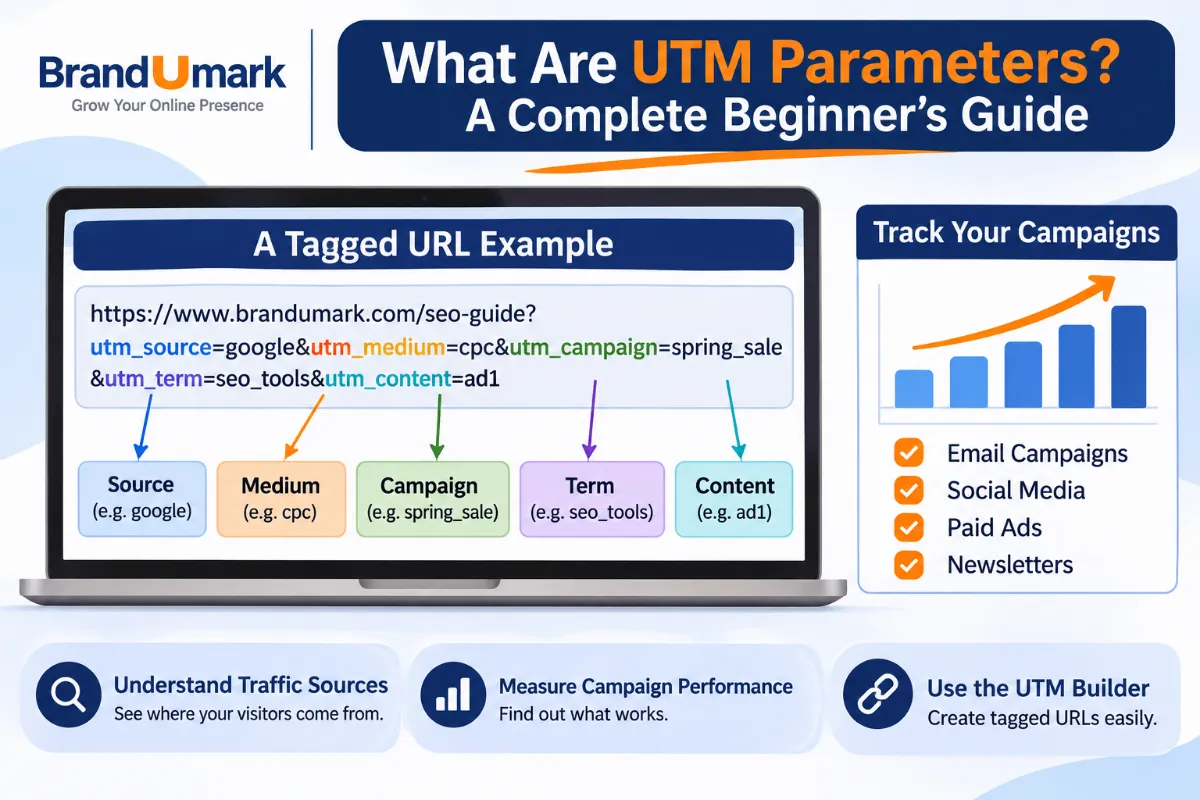
utm_source, utm_medium, utm_campaign, utm_term, and utm_content.You send an email newsletter, post a link on social media, and launch an ad. Your analytics report shows visits, but can you tell which link brought people to your site?
UTM parameters help answer that question. They add campaign details to a destination URL so analytics platforms can group traffic by marketing source and campaign. This guide explains each parameter, shows URL examples, and walks through campaign attribution with a consistent tracking system.
Table of Contents
What Are UTM Parameters?
UTM parameters are short key-value tags added to the end of a web address. When someone clicks a tagged link and arrives at a site with analytics tracking configured, the values can help identify how the visit was generated.
UTM stands for Urchin Tracking Module, a name associated with the analytics software that preceded Google Analytics. Marketers use UTM tags to measure email campaigns, social posts, paid ads, partner links, and other promotions.
A tagged URL may look like this:
https://example.com/seo-guide/
?utm_source=newsletter
&utm_medium=email
&utm_campaign=november_seo_tips
The destination is the page before the question mark. The text after it contains tracking parameters. They do not create a new page or change its main content; they label the link for analytics.
The Five Common UTM Parameters
These five parameters are the familiar set used for manual campaign tagging. Source, medium, and campaign are the basic fields to include in most tagged links. Term and content provide additional detail when you need it.
| Parameter | Purpose | Example |
|---|---|---|
utm_source | Where traffic came from, such as a platform or newsletter. | facebook |
utm_medium | The type of channel or traffic. | paid_social |
utm_campaign | The promotion or campaign name. | holiday_sale |
utm_term | A keyword or paid-search term, when useful. | running_shoes |
utm_content | A specific ad, creative, or link variation. | blue_cta |
1. utm_source: Where did the visit come from?
Source identifies the specific website, platform, or sender that referred traffic. Examples include google, facebook, linkedin, partner_site, or november_newsletter. Choose values that help distinguish traffic origins.
2. utm_medium: What type of channel was it?
Medium describes the marketing channel or traffic type. Common values include email, cpc, paid_social, organic_social, and affiliate. Keep source and medium separate: facebook can be the source and paid_social the medium.
3. utm_campaign: Which campaign was it?
Campaign identifies the marketing effort, such as black_friday, product_launch, or november_seo_tips. Use the same campaign value across channels that support the same promotion, then distinguish them by source and medium.
4. utm_term: Which keyword or term?
Term is commonly used to identify paid-search keywords or targeting terms, for example utm_term=running_shoes. It is optional for many campaigns. Do not fill it with unrelated text just because the field exists.
5. utm_content: Which link or creative variation?
Content helps differentiate links or ads that share the same source, medium, and campaign. It can identify a headline, image, button, placement, or link position. For example, an email’s header button and text link could use header_button and text_link.
UTM Parameters: URL Examples
Example 1: Email newsletter
Imagine a newsletter promoting a beginner SEO guide. Use the newsletter as the source, email as the medium, and the November content campaign as the campaign:
https://example.com/seo-guide/
?utm_source=november_newsletter
&utm_medium=email
&utm_campaign=november_seo_tips
&utm_content=header_button
This lets you identify traffic from the newsletter and the specific button placement.
Example 2: Paid social campaign
Suppose you promote a free marketing checklist and want to compare a video with a static image:
https://example.com/marketing-checklist/
?utm_source=facebook
&utm_medium=paid_social
&utm_campaign=free_checklist
&utm_content=video_ad
For the image version, keep source, medium, and campaign the same, then change content to image_ad.
Example 3: Paid search keyword
https://example.com/seo-services/
?utm_source=google
&utm_medium=cpc
&utm_campaign=seo_leads
&utm_term=seo_services
&utm_content=text_ad_a
This labels the source as Google, the medium as cost-per-click advertising, and the campaign as an SEO lead campaign. Use platform tracking templates or auto-tagging where appropriate rather than replacing identifiers managed by the ad platform.
Example 4: Partner referral
https://example.com/partner-offer/
?utm_source=industry_partner
&utm_medium=referral
&utm_campaign=partner_launch
If several partners participate, use a consistent source value for each partner to compare referral traffic.
How Campaign Attribution Works
Campaign attribution is the process of assigning credit for visits or conversions to marketing touchpoints. UTM parameters provide labels that analytics platforms can use when organizing campaign traffic and reporting performance.
A basic campaign attribution journey
- A person clicks a tagged link in an email newsletter.
- The URL opens your landing page.
- Your analytics tracking collects campaign information from the URL.
- The visit can appear in acquisition reports with the source, medium, and campaign values.
- If the person completes a tracked action, such as a form submission or purchase, your analytics setup can help evaluate that outcome in relation to the campaign.
UTM tags do not measure sales by themselves or prove that a campaign caused a conversion. You also need analytics tracking, correctly configured conversion events, and reporting that fits your business.
For example, if a newsletter brings 500 sessions and 20 tracked form submissions, the session-to-form rate is 4%. That is a useful campaign metric, but it does not reveal revenue or lead quality unless you connect those outcomes to sales or CRM data.
UTM tagging and attribution models are different
UTM values identify campaign information. An attribution model determines how credit is assigned across interactions. A visitor might click a social post, return through email, and later convert through a direct visit. Your analytics platform’s attribution settings affect how those touchpoints receive credit.
Google Analytics reports campaign information in traffic acquisition and related reports. Available dimensions depend on your implementation and reporting configuration. See Google’s guide to traffic-source dimensions and manual tagging.
How to Create UTM Links
You can create tagged URLs manually, but a campaign URL builder reduces the chance of missing a field or breaking the link.
Step 1: Copy your destination URL
Start with the page you want people to visit. Confirm it loads and matches the campaign’s offer or message.
Step 2: Add campaign details
Enter source, medium, and campaign. Add term or content when the extra detail will help answer a reporting question.
Step 3: Generate and review
Use the BrandUmark UTM Builder to prepare the link. Review the destination, spelling, parameter values, and existing query string before copying it into an email, ad, or social post.
Step 4: Test the link
Open the generated URL and confirm it reaches the intended page. Check that parameters remain intact after redirects and that analytics records campaign information as expected.
Step 5: Review the report
After traffic arrives, review the relevant acquisition report. Use the same date range and compare sessions, engagement, conversions, or other metrics connected to your campaign goal.
For broader measurement planning, explore BrandUmark’s SEO analysis resources and its guide to SEO marketing tools. If you are optimizing the landing page content too, read the earlier tutorial on how to check keyword density.
UTM Naming Conventions and Best Practices
UTM tags are useful only when values are consistent. Different capitalization or spelling can split the same campaign into separate report entries.
Keep your naming system simple
- Use lowercase values, such as
facebook, rather than mixing capitalization. - Use underscores or hyphens consistently instead of spaces.
- Choose a standard medium vocabulary, such as
email,cpc, andpaid_social. - Use the same campaign name across channels in the same promotion.
- Make content values descriptive enough to identify the creative or placement.
- Maintain a shared naming guide for the team.
Google’s campaign URL builder documentation recommends using source, medium, and campaign when tagging destination URLs.
Choose values that answer a real question
Before adding a parameter, ask what you want to learn. To compare newsletter sources, use a source value that distinguishes them. To compare two buttons in one email, use content values for the buttons.
Avoid so many variations that reports become difficult to read. A useful naming structure is simple enough for the team to follow and detailed enough to support decisions. BrandUmark’s SEO strategy guide can help connect campaign measurement with broader acquisition goals.
Common UTM Parameter Mistakes
1. Inconsistent source names
Using facebook, fb, and Facebook for the same source can split reporting. Choose one standard value.
2. Swapping source and medium
Source identifies where traffic came from; medium describes the channel type. Use utm_source=linkedin and utm_medium=paid_social, not the reverse.
3. Forgetting the campaign
Source and medium identify the channel, but a campaign value helps group visits under a specific promotion. Include utm_campaign for standard campaign tagging.
4. Tagging internal links
Do not normally add campaign UTMs to links that move users around your own website. Internal tags can overwrite or complicate acquisition reporting and obscure the original traffic source.
5. Putting sensitive information in URLs
UTM values can appear in browser history, analytics reports, and logs. Use campaign labels, not names, email addresses, account identifiers, or private data.
6. Ignoring auto-tagging
Advertising platforms may automatically add click identifiers or campaign information. If you use auto-tagging and manual UTMs together, follow the platform’s current guidance and test how your analytics property processes the values.
7. Not testing the final link
A URL can contain a typo, wrong destination, or parameters that disappear during a redirect. Test important links before launch and verify campaign values after traffic arrives.
Conclusion: Use UTM Parameters Consistently
UTM parameters give campaign links clear labels. Source tells you where a visit came from, medium describes the channel, campaign names the promotion, term can identify a keyword, and content distinguishes a creative or link variation.
Start with a small, consistent system. Tag the links that matter, test them before launch, and review campaign performance using metrics connected to your marketing goals.
- Choose the destination URL and define the campaign.
- Set consistent source, medium, and campaign values.
- Add term or content only when useful.
- Generate and test the URL before publishing.
- Review acquisition and conversion reports after launch.
Frequently Asked Questions
What does UTM stand for?
UTM stands for Urchin Tracking Module. UTM parameters are campaign tags added to URLs so analytics tools can identify the marketing source and campaign associated with a visit.
Are UTM parameters required for Google Analytics?
They are not required for every visit because Analytics can collect traffic information through other methods. For manually tagged campaign URLs, Google recommends including source, medium, and campaign to make campaign details clearer in reports.
What is the difference between utm_source and utm_medium?
Source identifies the specific origin, such as Google, Facebook, or a newsletter. Medium describes the type of traffic, such as cpc, email, or paid social.
Can I use UTM parameters on social media links?
Yes. You can tag links in social posts or paid social ads to distinguish platform, channel, campaign, and creative. Use consistent values so the same campaign does not appear under multiple spellings.
Do UTM parameters affect SEO rankings?
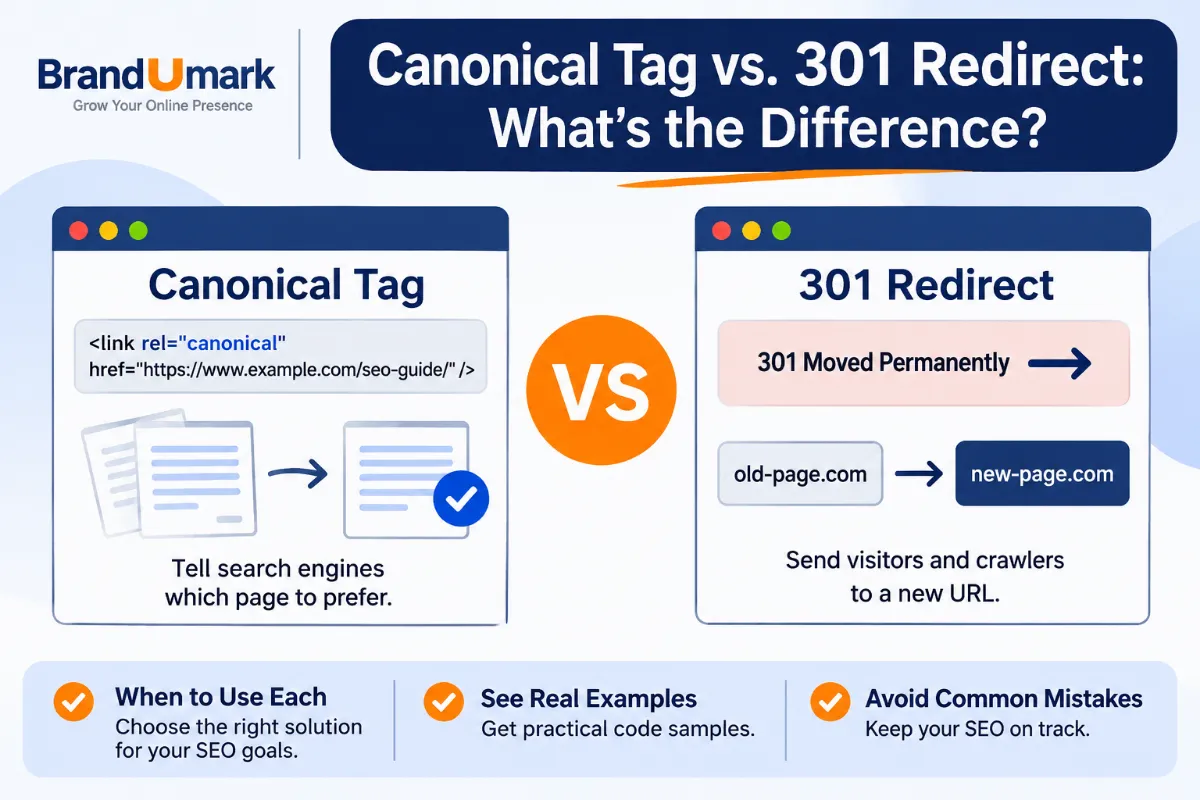
UTM parameters are primarily used for campaign measurement, not as a ranking factor. They create URL variations, so avoid using them in internal links and use appropriate canonicalization when tracked and clean URLs show the same content.